Welcome to DreamsPlus

SRE

The Future of SRE: Trends and Predictions

The Future of SRE: Trends and Predictions Site Reliability Engineering (SRE) has become an essential discipline for many organizations, particularly those running large-scale, distributed systems. As businesses continue to rely on technology to scale and innovate, SRE teams are tasked with maintaining uptime, improving system reliability, and delivering seamless user experiences. However, the landscape of SRE is constantly evolving. In this blog, we’ll dive into the future of SRE, highlighting emerging trends, predictions, and actionable insights for SRE professionals. What is Site Reliability Engineering? Before exploring the future, let’s first define what SRE is. Site Reliability Engineering (SRE) is a set of practices and principles that combine software engineering and operations to ensure high availability, scalability, and reliability of services. SREs are responsible for monitoring system health, automating processes, responding to incidents, and making data-driven decisions to improve the system’s reliability over time. The ultimate goal of SRE is to create highly reliable systems while enabling continuous innovation, all while keeping operational costs in check. Trends Shaping the Future of SRE As we move into 2025 and beyond, the role of SRE is expected to evolve in several key areas. Here are some of the most significant trends to watch: 1. Automation and Artificial Intelligence (AI) One of the most significant trends in SRE is the continued push toward automation. Automation not only reduces the time spent on manual tasks but also improves system reliability by minimizing human error. As machine learning (ML) and artificial intelligence (AI) tools become more sophisticated, SRE teams will increasingly rely on these technologies to automate monitoring, incident detection, and resolution. Why It Matters: Predictive analytics: AI can help predict incidents before they occur, allowing SRE teams to proactively mitigate issues. Self-healing systems: Automation can enable systems to detect problems and self-correct without human intervention. Improved incident response: AI-powered chatbots and automated runbooks will allow teams to respond faster during incidents, reducing downtime. Actionable Takeaway: SRE teams should start integrating AI and automation tools now to prepare for the future. Tools like Ansible, Terraform, and PagerDuty are great starting points. 2. Focus on Developer Collaboration In the past, SRE teams were often siloed from development teams, with clear boundaries between who was responsible for writing code and who managed infrastructure. Today, that’s changing. As SREs take on more of a DevOps approach, there is a growing emphasis on collaboration between developers and operations teams. Why It Matters: Faster incident resolution: Direct communication between developers and SREs leads to quicker identification of the root cause of issues. Improved system design: Collaboration fosters shared responsibility for both development and reliability, ensuring that systems are designed with resilience in mind from the start. Actionable Takeaway: Encourage regular collaboration between your development and SRE teams. Consider adopting tools like Jira and Slack to facilitate seamless communication. 3. Shift to Cloud-Native Technologies As cloud adoption continues to grow, more companies are shifting to cloud-native architectures, including microservices, Kubernetes, and serverless computing. These technologies promise better scalability, flexibility, and efficiency but introduce new challenges for SRE teams, particularly in managing distributed systems. Why It Matters: Scalability: Cloud-native technologies allow for better horizontal scaling, but SREs need to adapt their monitoring and incident response practices accordingly. Complexity: Distributed systems introduce additional complexity in tracking performance, monitoring services, and resolving incidents, making observability tools essential. Cost efficiency: Proper configuration of cloud resources and scalability ensures that the systems remain cost-effective. Actionable Takeaway: Invest in cloud-native monitoring tools like Prometheus and Grafana to improve observability and incident management in a distributed environment. 4. Enhanced Focus on Security (SecOps) As the threat landscape continues to evolve, SREs are increasingly expected to work alongside security teams to ensure that systems are not only reliable but also secure. This shift towards SecOps—integrating security into operations—will become even more critical as cyberattacks grow in complexity. Why It Matters: Proactive security measures: By working closely with security teams, SREs can implement best practices like zero-trust architectures, encryption, and automated security checks. Incident detection: Security incidents often overlap with reliability issues, making it essential for SREs to have a close working relationship with security teams to detect and mitigate threats quickly. Actionable Takeaway: Integrate security practices into your incident management process. Tools like HashiCorp Vault, Kubernetes Secrets, and Terraform can help automate security configurations. 5. Site Reliability Engineering as a Service In the future, more organizations will likely adopt SRE as a Service models. This approach allows companies to leverage third-party SRE teams to handle specific aspects of system reliability, reducing the internal burden and allowing teams to focus on core competencies. Why It Matters: Cost-effectiveness: Smaller organizations or startups can access top-tier SRE expertise without the cost of building an in-house team. Specialization: Managed SRE services can offer specialized expertise in areas like cloud migration, Kubernetes management, or disaster recovery. Actionable Takeaway: Evaluate whether an SRE-as-a-service model could benefit your organization. Services like Google Cloud Operations Suite and AWS CloudWatch provide robust monitoring and incident response capabilities. Predictions for the Future of SRE Looking ahead, there are several key predictions for the SRE field: 1. Increased Demand for SRE Professionals As more companies adopt complex architectures and rely on distributed systems, the demand for skilled SRE professionals will continue to grow. There will be a strong need for people who can design, manage, and optimize resilient systems in cloud environments. 2. Greater Emphasis on Observability Tools for observability (gathering, analyzing, and using data to monitor system health) will become even more sophisticated. SREs will have access to richer, more real-time insights into their systems, allowing them to anticipate issues and mitigate downtime more effectively. 3. Proactive Incident Prevention Future SRE teams will shift from reactive incident management to more proactive strategies, using predictive analytics and advanced monitoring tools to prevent incidents before they happen. 4. Integration of AI and ML into Decision-Making Artificial intelligence and machine learning will not just help automate incident response but will also be integral in decision-making. Machine learning algorithms will help predict system

SRE

Incident Management Tools and Platforms: Streamlining Your IT Response

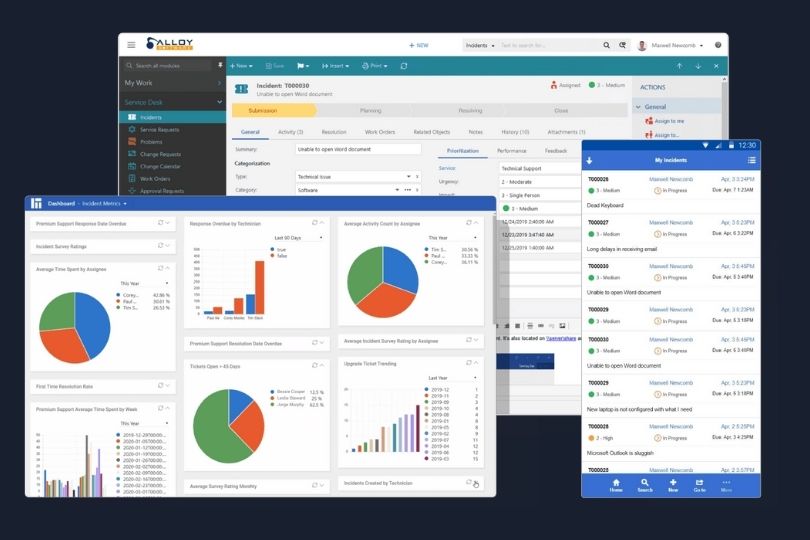
Incident Management Tools and Platforms: Streamlining Your IT Response Incident management is a critical aspect of maintaining smooth operations in any organization, particularly in IT. The ability to quickly detect, respond to, and resolve incidents can have a direct impact on system availability, user satisfaction, and the bottom line. Effective incident management requires the right tools and platforms to support real-time communication, tracking, and resolution. In this blog, we’ll explore some of the best incident management tools and platforms that can help organizations streamline their response process, minimize downtime, and enhance their overall service reliability. Why Incident Management Matters Incident management refers to the process of identifying, analyzing, and resolving incidents (such as service outages, security breaches, or system failures) that disrupt normal operations. An incident management strategy helps organizations: Minimize downtime by quickly addressing service disruptions. Ensure business continuity through proactive monitoring and rapid issue resolution. Improve communication among stakeholders during incident response. Enhance user satisfaction by reducing the impact of incidents on customers. Having the right incident management tools in place ensures that teams can collaborate effectively, manage incidents efficiently, and restore services promptly. With the right platform, teams can improve response times, track incident status, and continuously improve their processes. Key Features of Effective Incident Management Tools Before diving into specific tools, let’s first examine the essential features that an effective incident management tool should offer: 1. Incident Detection and Monitoring Tools should integrate with monitoring systems to automatically detect incidents and notify the team as soon as they occur. 2. Incident Tracking A centralized system for tracking the progress of incidents from detection to resolution ensures that no issues are overlooked and everything is documented. 3. Real-Time Communication The ability to collaborate in real-time with incident response teams is essential for fast resolution. This can include chat, notifications, and alerts. 4. Root Cause Analysis Tools should help teams investigate and identify the root cause of incidents, so they can take preventive measures to avoid future occurrences. 5. Reporting and Analytics Comprehensive reporting tools help in analyzing incident trends, response times, and root causes. This data can be used to improve incident management processes over time. 6. Integration with Other IT Systems To streamline workflows, incident management tools should integrate with other IT management platforms such as monitoring, configuration management, and service desks. Top Incident Management Tools and Platforms 1. PagerDuty PagerDuty is one of the most well-known incident management platforms, offering robust features to help IT teams respond to incidents quickly. It provides an integrated approach to incident detection, escalation, and resolution, ensuring that no incident goes unnoticed. Key Features: Real-time alerts: Get immediate notifications about incidents via email, SMS, or phone calls. Incident routing: Automatically route incidents to the appropriate responder based on predefined rules. On-call scheduling: Easily manage on-call schedules to ensure there’s always someone available to respond to incidents. Post-incident reporting: Analyze incidents after resolution to identify root causes and prevent recurrence. Why It’s Great: PagerDuty is ideal for organizations with large-scale infrastructure that need a centralized platform for incident management and collaboration. 2. Opsgenie Opsgenie by Atlassian is a comprehensive incident management platform that offers advanced notification and alerting systems for IT operations teams. It integrates with many third-party monitoring tools and streamlines the incident response process. Key Features: Alerts and notifications: Receive customizable alerts that are sent via email, SMS, or mobile push notifications. Escalation policies: Set up escalation policies to ensure that incidents are addressed promptly by the right people. Integration with monitoring tools: Sync with tools like Nagios, New Relic, and Datadog to receive incident alerts directly. Incident timeline: View a complete history of incidents and their resolution to track trends and improve future responses. Why It’s Great: Opsgenie is an excellent choice for organizations already using Atlassian products (like Jira) and those looking for a seamless integration experience. 3. ServiceNow IT Service Management (ITSM) ServiceNow ITSM is an enterprise-grade service management solution that includes robust incident management features. It’s widely used by larger organizations due to its scalability and integration capabilities. Key Features: Incident lifecycle management: From detection to resolution, manage all stages of the incident lifecycle. Collaboration tools: Integrated communication tools for cross-functional teams to collaborate and resolve issues. Knowledge base: Access a knowledge base for troubleshooting and resolving common incidents more efficiently. Automated workflows: Streamline incident handling by automating ticket creation, notifications, and routing. Why It’s Great: ServiceNow is particularly beneficial for large organizations or those with complex IT environments, offering extensive customization and integration capabilities. 4. xMatters xMatters is an incident management and communications platform that ensures rapid, coordinated responses to IT incidents. It’s designed for large enterprises and integrates with numerous third-party tools for comprehensive incident management. Key Features: Alerting and notifications: Real-time alerts through multiple channels such as email, SMS, and voice messages. Incident tracking and escalation: Incident progress is tracked and escalated automatically based on the urgency. On-call management: Manage on-call schedules and rotations to ensure timely response. Reporting and analytics: Post-incident reports and performance analytics to improve incident management strategies. Why It’s Great: xMatters excels at large-scale operations, providing detailed analytics and communication tools that help IT teams handle incidents more effectively. 5. Freshservice Freshservice is a cloud-based IT service management platform designed for businesses of all sizes. It includes a comprehensive incident management module that helps IT teams efficiently manage and resolve service disruptions. Key Features: Incident ticketing: Automatically generate incident tickets when issues are detected and route them to the appropriate team members. Collaboration tools: Share incident details with team members to troubleshoot and resolve issues faster. Self-service portal: Let users report issues via a self-service portal to reduce the burden on support teams. Analytics and reporting: Gain insights into incident trends and team performance with built-in reporting tools. Why It’s Great: Freshservice is great for small to medium-sized organizations looking for an easy-to-use, affordable incident management solution. Best Practices for Incident Management Establish Clear Incident Response Plans: Ensure that all team members understand their roles in the

SRE

Security Considerations in Site Reliability Engineering

Security Considerations in Site Reliability Engineering Site Reliability Engineering (SRE) has become a cornerstone of modern IT practices, emphasizing the need to ensure that systems are highly available, resilient, and scalable. While much of the focus in SRE has been on performance, uptime, and system reliability, security is just as crucial for maintaining trustworthy and secure operations. In an era where cyber threats are evolving rapidly, security considerations are integral to an SRE’s role. In this blog, we’ll discuss essential security practices that should be part of your Site Reliability Engineering strategy, including preventive measures, tools, and tactics to secure your infrastructure and applications effectively. Why Security is Critical in Site Reliability Engineering Site Reliability Engineers are responsible for ensuring that systems remain available, scalable, and resilient to failures. However, securing these systems is equally vital. Security vulnerabilities can undermine the reliability and performance of services, leading to downtime, data breaches, or performance degradation. By embedding security practices into your SRE culture, you can: Enhance system reliability by reducing the risk of security incidents. Improve trust with customers, stakeholders, and regulatory bodies. Mitigate risks of data loss or exposure through secure coding and network practices. SREs must adopt a security-first mindset, integrating security controls throughout the software development lifecycle and infrastructure management processes. 1. Shift Security Left in the SDLC Shifting security left means integrating security measures early in the software development lifecycle (SDLC). Rather than waiting until the final stages of development or deployment to address security, SREs can work with developers to identify vulnerabilities during the coding phase. Actionable Tips: Incorporate security checks into CI/CD pipelines: Automate security scanning for vulnerabilities and code weaknesses early in the development cycle. Use static code analysis tools: Implement tools that automatically detect vulnerabilities in code as it is written, such as SonarQube or Checkmarx. Educate developers on secure coding practices: Collaborate with development teams to promote awareness around security, focusing on threat modeling, input validation, and proper error handling. 2. Adopt Zero Trust Security Models The Zero Trust security model assumes that threats could exist both outside and inside the network, and therefore, no one should be trusted by default, even if they are within the corporate network. This model enforces strict identity verification and continuous validation for all users, devices, and applications, irrespective of their location. Actionable Tips: Enforce strict identity and access management (IAM): Use multi-factor authentication (MFA), least-privilege access, and role-based access controls (RBAC) for all users and systems. Implement network segmentation: Isolate critical systems and services from non-essential components to minimize the impact of a breach. Monitor and log all access requests: Continuously audit access patterns and behaviors, using tools like AWS CloudTrail or Google Cloud Audit Logs. 3. Secure Your Infrastructure and Network SREs should ensure that infrastructure and network configurations are secure by default. Proper network architecture, access controls, and segmentation can drastically reduce the attack surface and improve overall system security. Actionable Tips: Use encryption at rest and in transit: Encrypt sensitive data across all stages, whether it’s stored in databases, transmitted over the network, or while in use. Implement firewalls and network access controls: Use firewalls to monitor and control incoming and outgoing network traffic and ensure that access is limited to only trusted IP addresses. Deploy DDoS protection: Use services like AWS Shield or Azure DDoS Protection to safeguard applications from Distributed Denial-of-Service (DDoS) attacks that can disrupt availability. 4. Automate Incident Detection and Response Security incidents are inevitable, but how quickly your organization can detect, respond, and recover from these incidents will determine the overall impact on system reliability. Automation can help accelerate detection and response times, allowing SREs to focus on recovery and system resilience. Actionable Tips: Deploy security monitoring tools: Use intrusion detection and prevention systems (IDS/IPS), Security Information and Event Management (SIEM) platforms, and log aggregation tools to continuously monitor for suspicious activities. Automate incident response workflows: Implement automated responses to common security incidents, such as blocking malicious IPs, shutting down compromised services, or isolating vulnerable instances. Regularly test response plans: Simulate security incidents and run tabletop exercises to ensure the team is prepared to handle breaches effectively. 5. Focus on Supply Chain Security Modern software relies heavily on third-party libraries, dependencies, and services. However, these external components can introduce vulnerabilities into your systems if they are not properly managed. Supply chain security is about ensuring that all third-party software components are secure and trusted. Actionable Tips: Audit third-party libraries: Use tools like OWASP Dependency-Check or Snyk to scan for vulnerabilities in third-party libraries and dependencies. Use trusted sources for third-party services: Ensure that external services or APIs are from reliable sources, and validate the security posture of those providers. Monitor for vulnerabilities in open-source components: Stay up to date with known vulnerabilities in open-source software by monitoring databases like the National Vulnerability Database (NVD). 6. Implement Continuous Security Monitoring Security is not a one-time effort—it needs to be continuous. Constantly monitoring the system’s health, security logs, and potential vulnerabilities is essential for maintaining a high level of security and reliability. Actionable Tips: Set up security dashboards: Use platforms like Splunk or Datadog to provide real-time visibility into security events and performance metrics. Conduct regular vulnerability scans: Schedule regular security scans to identify new vulnerabilities and weaknesses within your infrastructure and applications. Implement anomaly detection: Use machine learning-based tools to detect unusual activities that may signal potential security threats, such as unauthorized access or system misconfigurations. 7. Establish Strong Authentication and Authorization Practices Ensuring that only authorized individuals or systems can access sensitive data and resources is crucial. SREs must ensure that the appropriate access controls are in place to protect against unauthorized access. Actionable Tips: Use Identity Federation: Enable federated identity management systems to allow seamless, secure user authentication across different platforms. Adopt Multi-Factor Authentication (MFA): Require MFA for accessing production systems and critical infrastructure to prevent unauthorized access. Enforce Role-Based Access Control (RBAC): Define and assign roles based on the principle of least privilege, ensuring

SRE

Cost Optimization Strategies for Cloud Resources

Cost Optimization Strategies for Cloud Resources As organizations continue to embrace cloud computing for its flexibility and scalability, managing cloud costs has become a critical challenge. With the increasing adoption of cloud platforms like AWS, Microsoft Azure, and Google Cloud, companies often find themselves with cloud bills that exceed their expectations. The good news is that by applying effective cost optimization strategies, businesses can significantly reduce cloud expenditures while ensuring they meet performance and reliability needs. In this blog, we’ll explore some of the most effective cost optimization strategies for cloud resources, providing actionable insights that you can implement right away. Why Cloud Cost Optimization Matters Cloud cost optimization is more than just trimming unnecessary expenses. It’s about managing resources efficiently, predicting future needs, and ensuring that you’re only paying for what you actually use. Without a strategy in place, businesses can face budget overruns, inefficient resource allocation, and a lack of visibility into their cloud usage, which can ultimately affect their bottom line. Effective cloud cost management is essential for: Reducing unnecessary spending Enhancing resource efficiency Improving scalability and flexibility Maintaining predictable costs 1. Right-Sizing Cloud Resources One of the simplest and most impactful ways to optimize cloud costs is through right-sizing. This strategy involves matching your cloud resource allocation (such as virtual machines, storage, and networking) to your actual usage requirements. Many organizations over-provision resources to avoid performance bottlenecks, which often leads to paying for unused capacity. Actionable Tips for Right-Sizing: Analyze historical usage data to understand peak and off-peak resource demands. Choose smaller instance sizes for workloads that don’t require heavy computing power. Use auto-scaling to adjust resources dynamically based on demand, rather than keeping instances running at full capacity all the time. Tool Recommendations: AWS Cost Explorer, Azure Cost Management, and Google Cloud’s Cost Management tools provide detailed insights to help with right-sizing. 2. Take Advantage of Reserved Instances and Savings Plans Cloud providers offer discounted pricing for long-term commitments. Reserved Instances (RIs) or Savings Plans can offer significant savings over pay-as-you-go pricing, particularly for workloads that have predictable resource needs. Actionable Tips: Evaluate long-term usage: If you have consistent workloads that run 24/7, consider reserving instances for one or three years. Use Convertible Reserved Instances: These allow you to change the instance type or family during the term, providing more flexibility than standard RIs. Leverage Savings Plans: If your usage varies or you’re uncertain about future requirements, savings plans offer flexibility in exchange for a commitment to a certain amount of compute usage. 3. Use Auto-Scaling to Handle Variable Demand Cloud environments offer the ability to scale resources based on actual demand. Auto-scaling allows you to automatically adjust the number of instances or resources running, so you only use what is necessary at any given time. This eliminates the need to over-provision resources to handle peak traffic. Actionable Tips for Effective Auto-Scaling: Configure scaling policies: Define the metrics (such as CPU usage or memory) that trigger scaling actions. Use horizontal scaling: Instead of upgrading to more powerful servers, scale out by adding more instances to distribute the load. Ensure minimum and maximum limits: Set boundaries to prevent excessive scaling that can increase costs unnecessarily. 4. Optimize Storage Costs Cloud storage costs can add up quickly, especially when large amounts of data are stored across multiple regions or services. By choosing the right storage solutions and managing data effectively, businesses can reduce their storage expenses. Actionable Tips: Choose the appropriate storage class: For infrequently accessed data, use cheaper storage options like AWS Glacier or Google Coldline. Implement data lifecycle policies: Automatically transition old data to cheaper storage classes as it becomes less active. Use object storage: If you’re storing unstructured data, consider using object storage (like AWS S3 or Azure Blob Storage), which is typically cheaper than block storage. 5. Monitor and Track Cloud Usage Regularly Cloud cost management isn’t a one-time task; it requires continuous monitoring. Regularly tracking your cloud usage and analyzing spending patterns helps identify inefficiencies or sudden increases in resource consumption. Actionable Tips: Set up billing alerts: Most cloud platforms allow you to set alerts that notify you when you approach your budget or when unexpected usage spikes occur. Use cloud-native cost management tools: AWS Cost Explorer, Azure Cost Management, and Google Cloud’s Billing Dashboard provide insights into your usage patterns and cost trends. Conduct regular cost audits: Review your cloud usage every few weeks to identify opportunities for cost-saving improvements. 6. Implement Cost Allocation Tags Cost allocation tags allow you to track and allocate costs to specific resources, departments, or projects. This level of granularity helps identify where the highest costs are coming from and where optimizations can be made. Actionable Tips: Tag resources appropriately: Tag resources based on department, project, environment (e.g., development, staging, production), or any other criteria that help you track costs. Review cost reports regularly: With detailed tagging, you can easily review cloud spending and adjust resources accordingly. 7. Use Spot Instances and Preemptible VMs Spot instances (AWS) and preemptible VMs (Google Cloud) are short-term, unused compute capacity available at a fraction of the cost of regular instances. While they can be terminated by the cloud provider at any time, they can be ideal for workloads that are fault-tolerant or don’t require constant uptime. Actionable Tips: Evaluate suitability: Use spot instances for batch processing, data analysis, or non-critical tasks that can tolerate interruptions. Combine spot instances with other types of instances: Keep a baseline set of on-demand instances for critical workloads and fill in with spot instances for non-essential tasks. 8. Implement Serverless Architectures In some cases, shifting from traditional infrastructure to serverless architectures can drastically reduce cloud costs. Serverless computing allows you to pay only for the actual compute time you use, rather than provisioning fixed resources. Actionable Tips: Use serverless for event-driven workloads: Functions as a Service (FaaS) like AWS Lambda or Google Cloud Functions can help you handle sporadic workloads without the need for dedicated servers. Use managed services: Consider using managed services

SRE

Using Kubernetes for Reliable Service Delivery

Using Kubernetes for Reliable Service Delivery As businesses grow, the complexity of managing infrastructure and services also increases. Kubernetes, an open-source container orchestration platform, has become an essential tool for companies aiming to streamline application deployment, scaling, and management. One of the key advantages Kubernetes offers is its ability to ensure reliable service delivery, even in the face of challenges like increased demand, failures, or updates. This blog explores how Kubernetes can be leveraged for reliable service delivery, including the best practices to maximize its capabilities. What Is Kubernetes? Kubernetes is a container orchestration platform that automates the deployment, scaling, and management of containerized applications. It provides a robust framework for managing complex systems and ensures that applications run reliably at scale. Kubernetes is widely used to manage microservices architectures, where applications are split into smaller, independent components that communicate with one another. Key Features of Kubernetes: Automated Deployment: Kubernetes automatically deploys containers and manages their lifecycle. Scaling: It scales applications based on demand by automatically adding or removing container instances. Self-healing: Kubernetes ensures that if a container fails, it will automatically restart or replace it to maintain desired states. How Kubernetes Enhances Service Reliability Kubernetes provides several mechanisms to ensure high availability and service reliability. Let’s explore how Kubernetes helps deliver reliable services. 1. Auto-Scaling for Dynamic Load Management In a fast-paced environment where service demand fluctuates, Kubernetes’ horizontal pod autoscaling ensures that applications can scale up or down in real-time. By monitoring resource utilization, Kubernetes automatically adjusts the number of running instances (pods) to match the load. Best Practice: Set up autoscaling rules based on resource metrics (CPU or memory) or custom metrics to ensure your service maintains high performance during peak loads. 2. Fault Tolerance and High Availability Kubernetes supports replication to ensure that services remain available even when certain components fail. It deploys multiple instances of each pod across nodes to ensure redundancy. If one pod or node fails, Kubernetes will automatically spin up new instances or move services to healthy nodes. Best Practice: Use Kubernetes’ Deployments and ReplicaSets to maintain the desired number of replicas and ensure service availability. This prevents service downtime even during hardware failures. 3. Rolling Updates and Rollbacks Kubernetes facilitates rolling updates, which allow you to update your applications without any downtime. During a rolling update, Kubernetes gradually replaces old versions of a service with new versions, ensuring that the service is always available. Best Practice: Use Deployment strategies like rolling updates and canary deployments to safely roll out new features while maintaining service reliability. In case of failure, Kubernetes can automatically roll back to a stable version of the service. 4. Self-Healing Capabilities One of the standout features of Kubernetes is its self-healing capability. If a container goes down or encounters an error, Kubernetes will automatically restart it. It can also reschedule pods to different nodes if there is a failure at the node level. Best Practice: Set health checks using readiness and liveness probes to ensure that Kubernetes can detect and handle failed pods. These probes allow Kubernetes to take action before a failure impacts the entire service. Best Practices for Reliable Service Delivery with Kubernetes While Kubernetes offers powerful features for ensuring service reliability, using it effectively requires the adoption of certain best practices. Here are key strategies to optimize your Kubernetes setup for reliability. 1. Design for Failure A critical principle in building reliable services with Kubernetes is to design with failure in mind. Kubernetes’ ability to automatically restart and reschedule containers is powerful, but you must ensure that your services are resilient to potential failures. Actionable Tip: Implement redundancy at every level, including multiple replicas of each pod, multiple nodes, and region-level redundancy for highly available services. 2. Leverage Resource Requests and Limits Properly configuring resource requests and limits for each container is crucial for preventing resource contention. Kubernetes uses this information to schedule pods effectively and prevent overloading nodes. Actionable Tip: Define requests (minimum resources needed) and limits (maximum resources allowed) for CPU and memory to ensure optimal performance and avoid resource starvation. 3. Optimize Networking with Service Discovery Kubernetes has built-in service discovery, which allows services to find and communicate with each other by abstracting the details of network communication. This simplifies network management and makes it easier to manage service communication in a dynamic environment. Actionable Tip: Use ClusterIP, NodePort, or LoadBalancer services to expose your services based on the needs of your application, ensuring seamless communication between services. 4. Enable Logging and Monitoring Kubernetes clusters generate a large volume of logs and metrics. To effectively monitor and manage your services, it’s important to set up a logging and monitoring system that can track container health, application performance, and resource utilization. Actionable Tip: Use tools like Prometheus and Grafana for monitoring, and integrate with logging platforms like ELK (Elasticsearch, Logstash, and Kibana) or Fluentd to capture and analyze logs from all containers. 5. Use StatefulSets for Stateful Applications Stateful applications, such as databases, require persistent storage and must maintain state between pod restarts. Kubernetes provides StatefulSets, which ensure that each pod is uniquely identifiable and can persist its state through restarts. Actionable Tip: Use StatefulSets along with Persistent Volumes for applications that need stable, reliable storage and consistent network identifiers. How Kubernetes Supports Continuous Delivery Kubernetes is ideal for integrating with Continuous Integration/Continuous Delivery (CI/CD) pipelines, which play a key role in delivering updates while maintaining reliability. By automating the deployment process, Kubernetes ensures that updates are delivered quickly and safely without disrupting the service. 1. Automated Rollouts and Rollbacks With Kubernetes, automated rollouts and rollbacks ensure that applications are updated with minimal downtime. If an update introduces an issue, Kubernetes can automatically roll back to the previous stable version. 2. Canary Deployments and Blue-Green Deployments Kubernetes enables strategies like canary deployments and blue-green deployments, allowing you to test new versions of services with a small subset of traffic before fully rolling them out. Actionable Tip: Implement canary deployments in Kubernetes by

SRE

The Impact of Microservices on Site Reliability: Benefits and Challenges

The Impact of Microservices on Site Reliability: Benefits and Challenges The shift from monolithic architectures to microservices has revolutionized how businesses design and maintain their applications. As companies look for ways to improve scalability, flexibility, and agility, microservices provide an attractive solution. However, transitioning to microservices also presents challenges, especially when it comes to site reliability. In this blog, we’ll examine the impact of microservices on site reliability, outlining the benefits and challenges, and offering actionable insights for managing reliability in a microservices environment. What Are Microservices? Microservices is an architectural style where an application is built as a set of loosely coupled, independently deployable services. Each service is responsible for a specific business function and communicates with other services over well-defined APIs. This approach contrasts with monolithic architecture, where all components of the application are tightly integrated into a single codebase. Key Features of Microservices: Independent Deployment: Microservices can be deployed independently without affecting other services. Decentralized Data Management: Each microservice typically has its own database, which enables better data management and scaling. Technology Agnostic: Teams can use different technologies for each microservice based on the specific needs of the service. The Role of Site Reliability in Microservices Site reliability engineering (SRE) is a discipline that focuses on maintaining the reliability, availability, and performance of services. When it comes to microservices, SRE practices are crucial to ensuring that all independent services work together smoothly without compromising the overall system’s reliability. While microservices offer many benefits, they can also introduce complexity. As organizations adopt microservices, SRE teams need to address new challenges and develop strategies to maintain high reliability across multiple services. The Benefits of Microservices on Site Reliability Microservices can positively impact site reliability in several ways. Let’s explore how: 1. Improved Fault Isolation One of the most significant advantages of microservices is the ability to isolate failures. Since each service operates independently, if one service fails, it doesn’t bring down the entire system. This fault isolation leads to improved resilience and makes it easier for teams to identify and address problems. Best Practice: Implement circuit breakers and retries for inter-service communication to avoid cascading failures that can impact other services. 2. Scalability and Flexibility Microservices enable horizontal scaling, where you can scale individual services based on demand. For example, if a particular service experiences high traffic, you can add more instances of that service without affecting others. This scalability ensures that the application can grow seamlessly without performance degradation. Best Practice: Use tools like Kubernetes to manage containerized microservices and ensure automatic scaling based on demand. 3. Faster Development and Deployment Microservices allow teams to work independently on different services, leading to faster development cycles. Since each team can deploy its services without coordinating with others, there’s less downtime and a faster time to market. This increased agility can be beneficial for site reliability, as it allows faster updates and fixes. Best Practice: Adopt continuous integration/continuous delivery (CI/CD) pipelines to automate testing and deployment of microservices, reducing human error and improving system reliability. 4. Technology Flexibility Since each microservice can be developed using different programming languages or frameworks, teams can choose the best tool for the job. This flexibility allows for better optimization, which can positively impact the performance and reliability of each service. Best Practice: Ensure that the communication between microservices is standardized (e.g., using RESTful APIs or message queues) to avoid compatibility issues. The Challenges of Microservices on Site Reliability While microservices offer significant benefits, they also introduce new challenges that can affect site reliability. Let’s take a look at some of the key issues. 1. Increased Complexity in Management Managing a large number of microservices can be complex. With multiple independent services communicating with each other, it can be difficult to monitor the overall health of the system. Ensuring that all services are available, perform well, and interact correctly can quickly become a challenge. Solution: Use a centralized monitoring and log aggregation system, like Prometheus with Grafana, to track the health of each microservice. Implement distributed tracing using tools like Jaeger or Zipkin to visualize service interactions and pinpoint failures. 2. Inter-Service Communication and Latency Microservices depend on inter-service communication, and this can introduce latency. Each service needs to call other services over the network, which can increase response times. If communication is not optimized, it can lead to slower performance and degraded user experience. Solution: Use asynchronous messaging or event-driven architecture to decouple services and reduce synchronous calls. Also, optimize network communication to reduce latency. 3. Data Consistency Across Services In a microservices architecture, each service typically manages its own database, which can make it challenging to maintain data consistency across the entire system. For example, if one service updates its data, it may need to synchronize the update with other services to maintain consistency. Solution: Implement event sourcing and CQRS (Command Query Responsibility Segregation) patterns to manage data consistency in a distributed environment. This approach allows services to communicate and sync their data effectively while maintaining their independence. 4. Deployment Challenges Microservices require multiple services to be deployed independently, which increases the complexity of deployment. This means more moving parts, more failure points, and a greater need for effective deployment strategies. Solution: Leverage containerization (e.g., using Docker) and orchestration tools (e.g., Kubernetes) to automate deployment and ensure consistency across services. Implement blue-green deployments or canary releases to minimize downtime and reduce the risk of service disruptions. 5. Security Concerns With multiple microservices communicating with each other, there are more potential points of failure that could be exploited by attackers. Ensuring security across all services can be a challenge. Solution: Implement service mesh solutions like Istio to handle secure communication between microservices. Use mutual TLS for encryption and OAuth 2.0 for secure authentication and authorization. Best Practices for Maintaining Site Reliability in Microservices To maintain site reliability in a microservices environment, there are several best practices that SRE teams should follow: 1. Implement Robust Monitoring and Observability As discussed earlier, monitoring is crucial

SRE

Scaling Applications and Services Effectively: A Comprehensive Guide

Scaling Applications and Services Effectively: A Comprehensive Guide Scaling applications and services is a vital aspect of modern infrastructure management. As businesses grow and user demands increase, ensuring that your system can handle higher traffic, more users, and greater workloads becomes essential. Effective scaling is not just about adding more resources; it requires careful planning, optimization, and leveraging the right technologies to ensure seamless performance. In this blog, we will explore the key principles, best practices, and actionable strategies to scale applications and services effectively, helping your systems meet the growing demands without sacrificing performance. What Does Scaling Mean in Software Engineering? Scaling refers to the ability of an application or service to handle an increasing amount of work or its potential to accommodate growth. In the context of software engineering, scaling can be classified into two main types: Vertical Scaling (Scaling Up): This involves adding more power (CPU, RAM, storage) to a single server to improve performance. Horizontal Scaling (Scaling Out): This involves adding more machines or servers to distribute the load and increase capacity. While vertical scaling has its limits, horizontal scaling is often preferred for large-scale applications due to its flexibility and ability to handle massive loads. Why is Scaling Important? Scaling ensures that an application or service remains available and performs well even as the user base grows or usage patterns change. It’s crucial for several reasons: Handle Traffic Spikes: Traffic can fluctuate dramatically, and scaling helps to accommodate peak loads without system failure. Improve User Experience: A scalable infrastructure provides faster response times and ensures that the user experience remains consistent, even under heavy loads. Optimize Costs: Efficient scaling allows organizations to optimize resource usage, preventing over-provisioning and underutilization of resources. Future-Proofing: As your user base grows, scaling prepares your system to handle future requirements with minimal disruptions. Key Strategies for Scaling Applications and Services Scaling effectively requires a strategic approach to architecture, technology, and operations. Below are several strategies to help you scale applications and services successfully. 1. Adopt Microservices Architecture Microservices architecture is a popular approach for scaling applications. Instead of having a monolithic application, microservices break down the application into smaller, independent services. Each service can be scaled independently, making it easier to manage high-demand parts of the application. Benefits: Independent Scaling: Scale only the services that need more resources, rather than scaling the entire application. Flexibility: Microservices allow you to use different technologies for different parts of your system. Fault Isolation: If one service experiences issues, it doesn’t affect the entire system. 2. Use Load Balancing Load balancing is critical to distributing traffic evenly across multiple servers or instances. This helps in avoiding overloading a single server and ensures that resources are utilized efficiently. Best Practices: Auto-scaling: Use cloud services like AWS Auto Scaling or Azure Scale Sets that automatically add or remove instances based on traffic demands. Global Load Balancing: Consider using global load balancers like AWS Route 53 to manage traffic across multiple data centers, ensuring high availability and low latency. 3. Optimize Database Performance Databases are often a bottleneck when scaling an application. Optimizing database performance is essential to ensure that your application can handle high traffic without slowdowns. Strategies: Sharding: Split your database into smaller, more manageable parts (shards) and distribute them across different servers. This allows your database to handle more data and queries. Read Replicas: Use read replicas to offload read-heavy operations from the primary database. Caching: Use caching mechanisms such as Redis or Memcached to store frequently accessed data in memory, reducing the load on the database. 4. Leverage Cloud Infrastructure Cloud platforms such as AWS, Google Cloud, and Microsoft Azure provide an excellent environment for scaling applications. These platforms offer features like elastic compute, storage, and load balancing, which are essential for effective scaling. Advantages of Cloud Scaling: Elasticity: Automatically scale resources based on demand without manual intervention. Global Reach: Deploy applications in multiple regions to reduce latency and improve availability for users around the world. Cost Efficiency: Pay-as-you-go pricing models ensure you only pay for what you use. 5. Implement Containerization with Kubernetes Containerization, using tools like Docker, allows you to package your application and its dependencies into a single container, which can be deployed on any system. Kubernetes is an orchestration tool that helps automate the deployment, scaling, and management of containerized applications. Benefits of Kubernetes for Scaling: Auto-Scaling: Kubernetes can automatically scale containers based on CPU or memory usage. High Availability: Kubernetes ensures that your containers are always running and can restart or move containers if a failure occurs. Resource Efficiency: Containers allow you to make more efficient use of resources, compared to running applications in virtual machines. 6. Use Content Delivery Networks (CDNs) A CDN helps distribute your application’s content across multiple locations worldwide, reducing latency by serving data from the nearest server to the user. This is particularly important for scaling web applications, especially those with heavy media or static content. Benefits: Faster Load Times: Reduce the time it takes to load resources like images, videos, and scripts. Offload Traffic: Reduce the burden on your main servers by offloading traffic to the CDN. Global Reach: Serve content quickly to users, no matter where they are located. Monitoring and Managing Scalability While scaling is important, monitoring and managing your scaled infrastructure is equally crucial. Here are some essential tools and practices for managing scalability effectively. 1. Monitor System Metrics Tracking system metrics helps you understand how your application is performing and whether it needs to scale. Tools like Prometheus, Datadog, and Grafana provide detailed insights into resource usage, traffic patterns, and performance bottlenecks. 2. Load Testing Before deploying a scaled system to production, it’s essential to conduct load testing to understand how the application behaves under heavy traffic. Tools like JMeter and Gatling can help simulate traffic and identify potential weaknesses in the system. 3. Set Up Alerts and Auto-Scaling Policies Automated alerts and scaling policies allow you to react to performance issues quickly. Tools like CloudWatch and

SRE

Networking Challenges in Site Reliability: Overcoming Obstacles for a Stable Infrastructure

Networking Challenges in Site Reliability: Overcoming Obstacles for a Stable Infrastructure In today’s tech-driven world, Site Reliability Engineering (SRE) is a key discipline ensuring the reliability, availability, and performance of systems. While SRE has its foundations in software engineering and operational excellence, networking plays a crucial role in its success. However, networking introduces a unique set of challenges that can impact the overall reliability of a system. From latency and scalability issues to security concerns, networking challenges can often derail even the most well-architected infrastructure. In this blog, we’ll explore the common networking challenges faced in Site Reliability Engineering and provide actionable insights into how you can overcome them for a stable and resilient infrastructure. The Role of Networking in Site Reliability Engineering Site Reliability Engineers are tasked with keeping systems running efficiently and ensuring they can scale to meet increasing demand. Networking is central to this responsibility, as it connects various components of the infrastructure, from servers to cloud services to databases. SREs need to monitor and maintain the network’s performance to ensure systems stay available, respond to failures quickly, and scale without compromising reliability. Core Networking Concerns in SRE: High Availability: Ensuring that the network is always up and running, even during failures. Low Latency: Optimizing the time it takes for data to travel across the network. Scalability: The network should be able to handle increasing traffic volumes without degradation in performance. Security: Protecting the network from unauthorized access and attacks. Common Networking Challenges in Site Reliability Engineering While networking is foundational to SRE, it presents several challenges that need to be addressed to maintain a reliable and high-performing system. Below are some of the most common networking issues faced by SREs: 1. Network Latency Latency, the delay in transmitting data from one point to another, is a key challenge in networking. In the context of SRE, high latency can lead to poor system performance, slow response times, and poor user experience. Challenges: Geographical distance between data centers and users can introduce delays. Network congestion from heavy traffic or inefficient routing can further increase latency. Protocol inefficiencies in data transmission can lead to longer communication times. Solutions: Implement Content Delivery Networks (CDNs) to cache data closer to end-users, reducing geographical latency. Use multipath routing to send data over the fastest available path, avoiding congested networks. Optimize protocols such as HTTP/2 or QUIC for faster data transfers and better resource management. 2. Scaling Network Traffic As systems grow and attract more users, the amount of network traffic increases. Scaling the network infrastructure to handle this influx of data without degrading performance is one of the most significant challenges in SRE. Challenges: Sudden traffic spikes due to high user demand or external events (e.g., product launches or viral campaigns). Limited network resources such as bandwidth, especially for cloud-based applications. Solutions: Auto-scaling mechanisms for networks can help dynamically allocate resources during peak loads. Invest in load balancing solutions to distribute traffic evenly across multiple servers, preventing any single node from becoming a bottleneck. Cloud providers offer services with elastic network capabilities that automatically scale with the demand. 3. Network Failures and Redundancy One of the most critical aspects of maintaining a reliable infrastructure is ensuring that the network can handle failures without causing downtime. A single point of failure in the network can lead to system outages and major disruptions. Challenges: Single points of failure in the network, such as routers or data centers, can cause outages. Intermittent network issues that aren’t immediately detected can cause inconsistency in service availability. Solutions: Build a redundant network architecture with multiple paths between data centers, preventing a single point of failure. Implement failover mechanisms such as DNS failover or anycast routing to automatically reroute traffic in case of failure. Continuous monitoring of network performance using tools like Prometheus and Grafana ensures that potential failures are detected early. 4. Network Security and Data Integrity Network security is a growing concern as cyberattacks become more sophisticated. For SREs, ensuring that data transmitted across the network remains secure is a key challenge, especially when dealing with sensitive customer information or financial data. Challenges: Man-in-the-middle attacks or data breaches during transmission. Ensuring end-to-end encryption and preventing unauthorized access. Solutions: Implement TLS (Transport Layer Security) encryption to protect data in transit and prevent interception. Regularly update firewalls and intrusion detection systems (IDS) to block malicious traffic and attacks. Use VPNs and private network connections to secure internal communications between data centers and services. 5. Managing Network Configuration and Complexity Network configuration management is a crucial aspect of maintaining a reliable and scalable infrastructure. As network complexity grows, it becomes increasingly difficult to ensure consistency and avoid misconfigurations that could lead to outages. Challenges: Configuration drift when changes are made across the network without consistent management. Difficulty in monitoring network performance due to a lack of visibility into the network’s state. Solutions: Use Infrastructure as Code (IaC) tools such as Terraform to automate and version-control network configurations. Leverage network monitoring tools like SolarWinds or Datadog to gain insights into network traffic patterns, performance bottlenecks, and anomalies. Regularly conduct network audits to ensure all devices and configurations align with security and performance standards. Tools for Overcoming Networking Challenges in SRE To tackle the networking challenges in Site Reliability Engineering effectively, leveraging the right tools can make all the difference. Here are some tools that can help SREs manage network reliability and performance: 1. Prometheus & Grafana Prometheus, combined with Grafana, provides a powerful monitoring solution for tracking network metrics. It helps in identifying network bottlenecks, failures, and other performance issues. 2. Datadog Datadog is a cloud monitoring platform that provides full-stack observability. It offers real-time monitoring of network performance and integrates well with cloud infrastructures. 3. SolarWinds Network Performance Monitor SolarWinds offers a comprehensive network performance monitoring tool that helps SREs detect issues such as network outages, latency, and bottlenecks. 4. Wireshark Wireshark is an open-source tool for network protocol analysis. It helps SREs capture and inspect network traffic to

SRE

Database Reliability Engineering: Techniques and Tools

Database Reliability Engineering: Techniques and Tools In today’s data-driven world, databases play a crucial role in the performance, scalability, and reliability of applications. As organizations rely more on databases for critical operations, ensuring their availability and performance becomes paramount. Database Reliability Engineering (DBRE) has emerged as a specialized discipline to ensure that databases are always available, perform optimally, and are resilient to failures. In this blog, we’ll explore the core concepts of DBRE, techniques to enhance database reliability, and tools to support its implementation. What is Database Reliability Engineering? Database Reliability Engineering (DBRE) is the practice of applying reliability engineering principles to the management of databases. It focuses on maintaining the availability, performance, and resilience of databases while ensuring they meet the required service level objectives (SLOs). DBRE involves the application of techniques, monitoring tools, and best practices to prevent, detect, and respond to issues that may impact database performance or availability. Key Principles of DBRE: Automation: Automating repetitive tasks such as backups, monitoring, and failover ensures consistency and reduces human error. Proactive Monitoring: Constantly monitoring database performance and health to detect potential issues early. Incident Response: Establishing a process to quickly respond to database failures and mitigate downtime. Continuous Improvement: Regularly reviewing and refining processes to enhance reliability and performance. Why is Database Reliability Engineering Important? With the increasing complexity of database architectures and growing data volumes, ensuring database reliability has become more challenging than ever. Here are some key reasons why DBRE is essential: 1. Preventing Downtime Databases are critical components of any application. Downtime can result in significant financial losses, customer dissatisfaction, and damage to reputation. DBRE focuses on implementing strategies that minimize downtime by making databases more resilient to failures. 2. Optimizing Performance A reliable database isn’t just about uptime; it’s also about delivering high performance. DBRE practices ensure that databases are optimized for speed and can handle increased load while maintaining low latency and high throughput. 3. Scaling Systems Efficiently As organizations scale, the complexity of their databases also increases. DBRE ensures that the database architecture can scale with business growth, ensuring smooth performance even as demands on the system grow. 4. Enhancing Security Reliability isn’t just about performance; it also encompasses security. By implementing best practices in database configuration and access controls, DBRE helps protect databases from breaches and unauthorized access. Techniques for Improving Database Reliability Database Reliability Engineering employs various techniques to ensure databases are reliable, available, and performant. Let’s explore some of the most effective practices: 1. Database Backups and Point-in-Time Recovery Regular backups are fundamental to database reliability. DBRE emphasizes automating backup schedules to ensure that critical data is consistently backed up without manual intervention. Point-in-time recovery (PITR) allows databases to be restored to a specific moment, minimizing data loss in case of a failure. Best Practices: Implement automated backup policies for full, incremental, and differential backups. Use cloud storage solutions for offsite backups to improve disaster recovery. Regularly test backup integrity and recovery processes. 2. Database Clustering and Replication Database clustering and replication are key techniques for ensuring high availability and disaster recovery. Clustering allows multiple database instances to work together to provide redundancy, while replication ensures that data is mirrored across different nodes, improving data availability and performance. Best Practices: Use master-slave replication for read scalability and failover. Consider multi-region replication for global availability and low-latency access. Implement automatic failover to switch to standby databases in case the primary database fails. 3. Database Sharding Sharding involves splitting a large database into smaller, more manageable pieces called shards. Each shard is a subset of the data, and the system is designed to distribute queries across different shards to balance the load. Sharding improves database performance and scalability by reducing the amount of data each server needs to process. Best Practices: Carefully choose the sharding key to evenly distribute the data. Monitor shard health and load to ensure no single shard becomes a bottleneck. Implement automatic re-sharding to adapt to growing data requirements. 4. Automated Scaling To maintain performance under varying loads, database systems need to be able to scale automatically. Auto-scaling ensures that database resources are dynamically allocated as demand fluctuates, minimizing the risk of performance degradation or downtime. Best Practices: Use cloud-based databases that support automatic scaling based on usage patterns. Set up auto-scaling policies that increase resources during peak load times and scale down when demand decreases. 5. Monitoring and Observability Continuous monitoring is one of the cornerstones of DBRE. By tracking database performance metrics such as query response times, CPU usage, memory usage, disk I/O, and replication lag, teams can proactively identify issues before they cause outages. Best Practices: Set up alerting systems to notify teams when predefined thresholds (e.g., query latency, disk space usage) are exceeded. Use distributed tracing and logging to correlate issues across application layers. Leverage performance profiling tools to optimize slow queries and bottlenecks. Tools for Database Reliability Engineering Several tools can help automate and streamline DBRE tasks. These tools can assist with backup management, monitoring, scaling, and incident response. Tools for Database Reliability Engineering Several tools can help automate and streamline DBRE tasks. These tools can assist with backup management, monitoring, scaling, and incident response. 1. Database Monitoring Tools Monitoring tools provide insights into the health and performance of your databases. Popular database monitoring solutions include: Prometheus & Grafana: These tools provide real-time monitoring and alerting, and they integrate well with cloud-native environments. New Relic: A powerful monitoring tool that helps track the performance of databases and queries. Datadog: A cloud-based monitoring service that offers end-to-end visibility into database health and performance. 2. Database Backup and Recovery Tools Automated backup and recovery tools ensure data is protected and recoverable: Percona XtraBackup: An open-source tool for hot backups of MySQL and MariaDB databases. AWS RDS Snapshots: Amazon RDS provides automated backup and recovery for managed databases. Barman: A backup and recovery manager for PostgreSQL databases. 3. Database Scaling and Replication Tools Scaling and replication tools help distribute load and ensure high availability:

SRE

Building a Culture of Reliability in Your Organization

Building a Culture of Reliability in Your Organization In today’s fast-paced, high-demand environment, organizations must prioritize reliability to ensure they meet customer expectations, maintain system uptime, and scale effectively. Reliability isn’t just a technical requirement; it’s a cultural mindset that should permeate every part of the organization. A culture of reliability fosters consistency, accountability, and a proactive approach to problem-solving, which are key to delivering exceptional service and achieving long-term success. In this blog, we’ll explore what it means to build a culture of reliability, why it’s essential, and practical strategies to establish it within your organization. What is a Culture of Reliability? A culture of reliability is an organizational mindset where everyone—from leadership to operational staff—understands the importance of delivering consistent, dependable results. Reliability is embedded into day-to-day activities and decision-making processes, and it’s supported by policies, processes, and tools that promote accountability and trust. This culture is essential for any organization that wants to excel, especially in industries that demand high levels of uptime, performance, and customer satisfaction. In an SRE (Site Reliability Engineering) context, reliability directly impacts how teams approach incidents, system stability, and long-term operational goals. Key Components of a Culture of Reliability: Consistency: Regularly delivering high-quality results with minimal variation. Accountability: Taking ownership of processes and outcomes to ensure reliability. Transparency: Open communication about performance metrics, failures, and successes. Continuous Improvement: Always striving to enhance systems and processes for better reliability. Why Building a Culture of Reliability Matters The impact of reliability on an organization extends far beyond just maintaining uptime. A culture of reliability has several profound benefits: 1. Improved Customer Trust Reliability fosters trust with your customers. When systems consistently perform as expected, customers feel secure in their interactions with your services, leading to higher satisfaction and loyalty. 2. Operational Efficiency By making reliability a priority, organizations streamline their processes, resulting in more efficient operations. Teams are less likely to be reactive and can address issues before they escalate into critical incidents. 3. Better Incident Management With a culture of reliability in place, incidents are handled with a sense of urgency and thoroughness. Teams will have predefined procedures to manage issues and prevent them from reoccurring, resulting in quicker recovery times and minimized impact. 4. Long-Term Scalability Reliability is integral to growth. When reliability is embedded in every facet of the organization, it becomes easier to scale systems, processes, and teams without sacrificing quality or performance. How to Build a Culture of Reliability Creating a culture of reliability requires commitment, intentionality, and a strategic approach. Below are actionable steps you can take to build and nurture this culture within your organization. 1. Define Reliability Metrics and Goals Establish clear, measurable reliability metrics to track performance. Common metrics used in SRE and DevOps practices include: Uptime/Downtime: Track the percentage of time systems are operational versus down. Mean Time to Recovery (MTTR): Measure the average time it takes to recover from incidents. Error Rate: Monitor the frequency of errors or failures in your systems. Service Level Objectives (SLOs): Define the acceptable level of service reliability and set goals for achieving them. Make these metrics visible across the organization to ensure everyone understands the importance of reliability and knows how their work impacts the overall success. 2. Foster a Blame-Free Environment One of the key aspects of a culture of reliability is adopting a blame-free mindset. When incidents or failures occur, focus on understanding the root cause and improving the system rather than placing blame on individuals. Encourage transparency and open communication about failures. After incidents, conduct postmortems to analyze what went wrong, how to prevent future occurrences, and what improvements can be made. This approach leads to continuous learning and a sense of shared responsibility across teams. 3. Empower Teams with the Right Tools and Training Teams can’t maintain reliability without the right tools, training, and resources. Equip your teams with the technologies and skills they need to proactively monitor systems, manage incidents, and optimize performance. Key tools to consider: Monitoring & Observability Tools (e.g., Prometheus, Grafana, Datadog): These tools provide visibility into system health and help identify potential issues before they escalate. Automation Tools (e.g., Ansible, Chef, Puppet): Automating manual processes reduces human error and ensures consistency. Incident Management Systems (e.g., PagerDuty, Opsgenie): Ensure that the right people are notified when incidents occur and can respond quickly. Additionally, provide training on best practices for incident response, root cause analysis, and continuous improvement. 4. Establish a Strong Feedback Loop Reliability can’t be improved if feedback isn’t actively sought and acted upon. Establish a strong feedback loop within your organization where team members can openly share insights on what’s working and what’s not. Regularly review reliability metrics, incidents, and team feedback to drive continuous improvements. Hold regular retrospectives or postmortems to review incidents, identify lessons learned, and create actionable plans to prevent future issues. 5. Make Reliability a Leadership Priority Creating a culture of reliability starts at the top. Leadership must prioritize reliability and set a clear example for the rest of the organization. Leaders should communicate the importance of reliability, invest in the necessary resources, and foster an environment where reliability is part of everyone’s responsibility. Leaders should also support initiatives for automation, training, and resilience engineering to ensure that the organization is equipped to meet its reliability goals. 6. Integrate Reliability into Daily Workflows Reliability shouldn’t be seen as a one-time initiative—it must be integrated into daily workflows. Whether you’re developing new features, deploying updates, or maintaining systems, reliability should be a continuous consideration. Some ways to integrate reliability include: Shift-Left Testing: Integrate testing earlier in the development lifecycle to catch reliability issues before they reach production. Chaos Engineering: Simulate failures in production to ensure that systems can handle unexpected issues without causing outages. Continuous Monitoring: Keep an eye on system performance in real-time and proactively address any issues that arise. 7. Celebrate Successes and Learn from Failures Acknowledge and celebrate milestones and successes related to reliability. Recognizing achievements helps build morale and

    This will close in 0 seconds