

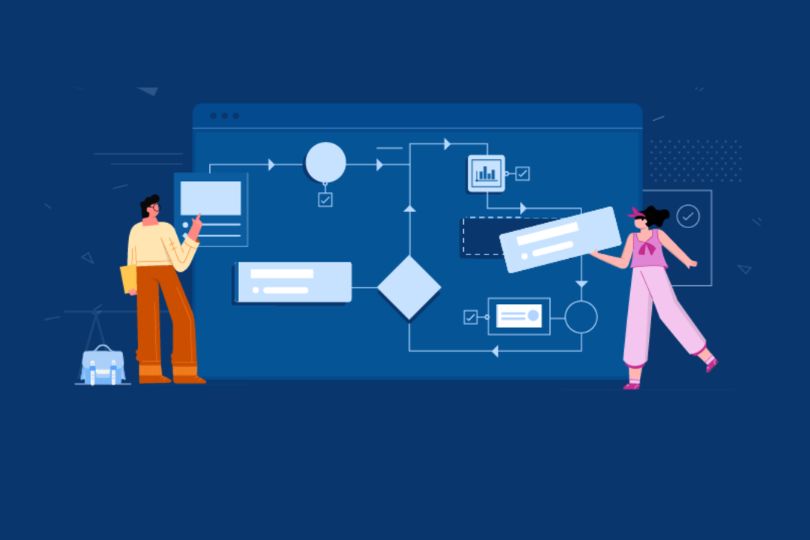
Integrating Axure Cloud with Other Design Tools for Seamless Workflows
In the fast-paced world of design, efficiency and collaboration are paramount. Integrating different tools and platforms into a seamless workflow can drastically reduce time spent on tasks and improve team collaboration. One such platform that can supercharge your design process is Axure Cloud, a robust cloud-based collaboration tool for sharing and presenting interactive prototypes.
However, no tool operates in isolation, and combining Axure Cloud with other design tools can unlock a whole new level of productivity. Whether you’re working with design software, project management tools, or prototyping platforms, integrating Axure Cloud ensures that your workflow stays smooth, streamlined, and highly efficient.
In this blog, we’ll explore how to integrate Axure Cloud with other design tools to enhance your workflow. We’ll look at best practices, integrations, and strategies for improving collaboration with team members and clients.
Why Integration Matters in Design Workflows
A design workflow often involves multiple stages, from wireframing and prototyping to collaboration, feedback collection, and final handoff to development. These stages typically require different tools, each specializing in a particular aspect of the design process.
By integrating Axure Cloud with other design tools, you can:
- Enhance Collaboration: Streamline communication between designers, developers, and stakeholders.
- Increase Efficiency: Reduce time spent on manual tasks like exporting and importing files between platforms.
- Centralize Feedback: Keep all feedback in one place, making it easier to review and act on.
- Maintain Version Control: Ensure everyone is working with the most up-to-date files without the hassle of multiple versions floating around.
Now, let’s explore how you can integrate Axure Cloud with some of the most popular design and collaboration tools in the industry.
1. Integrating Axure Cloud with Design Software
Axure Cloud and Sketch
Sketch is one of the most widely used design tools for UI/UX design, and integrating it with Axure Cloud can streamline your prototyping process. Here’s how you can make this integration work for you:
- Design in Sketch, Prototype in Axure: Design static elements and layouts in Sketch and then import them into Axure for adding interactions and animations. Axure’s powerful interaction capabilities complement Sketch’s design strengths.
- Exporting from Sketch to Axure: While there’s no direct plugin to export from Sketch to Axure, you can export your assets (like images or UI elements) from Sketch and import them into Axure manually. This keeps your design flow intact while ensuring that your prototype is interactive.
Axure Cloud and Figma
Figma, known for its collaborative design features, integrates well with Axure Cloud for those who prefer working on cloud-based platforms. With Figma’s shared design environment, you can:
- Collaborate in Real-Time: Designers can work on Figma designs while collaborators access interactive prototypes in Axure Cloud, providing real-time feedback on both designs and prototypes.
- Use Figma Assets in Axure: Similar to Sketch, you can export assets (such as images or vector elements) from Figma and import them into Axure Cloud to create high-fidelity prototypes.
Figma’s ability to support real-time collaboration complements Axure Cloud’s dynamic prototyping, creating a powerful duo for modern design teams.
Axure Cloud and Adobe XD
Adobe XD provides an intuitive environment for UI/UX design with a focus on simplicity and performance. Axure Cloud can integrate with XD in various ways:
- Embed XD Designs in Axure Cloud: If you have interactive elements in Adobe XD that need further refinement or feedback, you can embed or link them within Axure Cloud, allowing users to view and interact with the XD file inside the Axure prototype.
- Export Assets from XD to Axure: Like Sketch and Figma, you can export assets (UI components, images) from Adobe XD and import them into Axure Cloud to create more interactive, dynamic prototypes.
Using Axure Cloud in tandem with Adobe XD allows designers to maintain flexibility in their tools while keeping the workflow connected.
2. Integrating Axure Cloud with Collaboration Tools
Design isn’t just about creating visually appealing prototypes—it’s also about effective collaboration. Here’s how you can integrate Axure Cloud with popular collaboration tools:
Axure Cloud and Slack
Slack is a leading communication tool for teams, making it an essential part of the design workflow. By integrating Axure Cloud with Slack, teams can share prototypes, receive feedback, and communicate changes directly in a single platform.
- Share Prototypes Directly in Slack: Share links to your Axure Cloud prototypes directly in Slack channels or via direct messages. Team members can click through to view and interact with the prototypes without leaving Slack.
- Receive Notifications: Set up notifications in Slack whenever a prototype is updated in Axure Cloud, so the team always knows when there’s new feedback or updates to review.
Slack integration keeps all team members on the same page, enabling quicker decision-making and clearer communication.
Axure Cloud and Trello
Trello is an excellent project management tool that helps teams organize tasks and track project progress. By integrating Axure Cloud with Trello, you can seamlessly link your prototypes to specific tasks and projects.
- Link Axure Cloud Prototypes to Trello Cards: For each task or feature in your Trello board, attach the relevant Axure Cloud prototype. This makes it easy for your team to access and review prototypes tied to specific tasks or project milestones.
- Track Feedback in Trello: Use Trello’s checklist or comment features to collect feedback directly on the card associated with a prototype. This keeps all feedback in one place, simplifying the process of reviewing and acting on suggestions.
This integration helps ensure that your design projects stay organized and aligned with your team’s goals.
3. Integrating Axure Cloud with Development Tools
Prototypes and designs need to be translated into working products, and integrating Axure Cloud with development tools can simplify the handoff process. Here’s how you can improve collaboration between designers and developers:
Axure Cloud and JIRA
JIRA, the popular issue and project tracking tool, helps development teams track tasks, bugs, and features. By linking Axure Cloud with JIRA, designers and developers can stay on the same page throughout the development lifecycle.
- Link Axure Prototypes to JIRA Issues: Attach your Axure Cloud prototypes to specific issues in JIRA. Developers can view the prototype directly from the issue, ensuring they have a clear understanding of the intended design.
- Track Design Changes: If a design is updated or changed in Axure Cloud, you can link the new version to JIRA, providing developers with an updated version for implementation.
This integration ensures that designers and developers work from the same source of truth, preventing miscommunication and discrepancies in design implementation.
Axure Cloud and GitHub
GitHub, a platform primarily used for version control in software development, can be used in combination with Axure Cloud for better collaboration between teams.
- Track Design Versions: Just like with development code, you can track versions of your Axure prototypes. Each time you update the prototype in Axure Cloud, record the changes in your GitHub repository to ensure that the latest version is available for all stakeholders.
- Use GitHub Issues for Design Feedback: Developers can leave feedback on design-related issues within GitHub, and designers can reference these comments when updating prototypes in Axure Cloud.
Integrating GitHub with Axure Cloud streamlines the handoff process from design to development, making sure the implementation closely follows the vision laid out in the prototypes.
4. Best Practices for Integrating Axure Cloud with Design Tools
While integrating Axure Cloud with other tools, keep the following best practices in mind:
- Consistency Across Tools: Ensure that all design files and prototypes are updated regularly across all platforms. Inconsistent versions can cause confusion and errors in collaboration.
- Centralized Feedback: Centralize all feedback in Axure Cloud or a shared project management tool like Trello or JIRA. This avoids feedback being scattered across different tools and makes it easier to act on.
- Use Proper Versioning: Make sure to version your Axure prototypes and keep a record of changes in all integrated tools. This helps with tracking progress and ensuring the team is always working with the latest versions.
- Streamline Communication: Use tools like Slack to improve communication between designers, developers, and stakeholders, making sure everyone is on the same page.
Conclusion
Integrating Axure Cloud with other design and collaboration tools is a powerful way to streamline your workflow, improve communication, and boost productivity. By combining Axure’s powerful prototyping features with the best aspects of other design, project management, and development tools, you create a seamless, efficient environment that enables your team to focus on what matters most—creating outstanding products.
Ready to Supercharge Your Workflow?
Integrate Axure Cloud with your favorite design tools and experience a smoother, more collaborative design process. Start today and see how it can improve your team’s productivity!
Want to learn more about Axure Cloud and how it can integrate with your tools? Start your free trial today!