Welcome to DreamsPlus

Project Management

The Future of Project Management: Trends to Watch in 2025

The Future of Project Management: Trends to Watch in 2025 As the world of project management continues to evolve, staying ahead of emerging trends is crucial for leaders and teams to remain competitive. The next few years will bring about significant shifts in how projects are managed, driven by new technologies, changing workplace dynamics, and a growing emphasis on sustainability. In this blog, we’ll explore the top project management trends to watch for in 2025 and beyond. These insights will help you understand how the industry is transforming and how you can adapt to drive project success in the future. 1. The Rise of Artificial Intelligence (AI) in Project Management AI and Automation Revolutionizing Project Workflows Artificial Intelligence is increasingly becoming a game-changer in project management. AI tools can automate repetitive tasks, analyze large datasets, and provide valuable insights to project managers. By leveraging AI, project managers can save time, reduce errors, and improve decision-making. Key Areas AI Will Impact: Task Automation: Routine administrative tasks, such as scheduling and report generation, can be automated, freeing up time for strategic work. Predictive Analytics: AI can analyze historical data and predict project risks, timelines, and resource needs. Personalized Project Assistance: AI-powered assistants can provide real-time guidance, answer queries, and offer suggestions based on project data. Actionable Tips: Start integrating AI tools into your workflow to streamline repetitive tasks. Leverage AI for predictive insights on potential risks or delays. Explore AI-powered project management platforms like Monday.com, Asana, or Trello for advanced features. 2. Agile and Hybrid Methodologies Gaining Popularity Flexibility is Key in an Evolving Business Landscape Agile project management has been a popular methodology for several years, but in 2025, hybrid models that blend Agile with traditional project management approaches will see further adoption. This flexibility allows teams to adjust their methods based on the project’s needs, environment, and scope. Benefits of Agile and Hybrid Approaches: Faster Time-to-Market: With shorter delivery cycles, projects can evolve based on real-time feedback. Better Collaboration: Agile encourages frequent communication and collaboration, enhancing team productivity. Adaptability: Hybrid models offer a balanced approach, combining structure with flexibility. Actionable Tips: Adopt Agile or hybrid methodologies for projects that require flexibility and fast changes. Train teams on both Agile principles and traditional project management techniques for seamless implementation. Use project management tools that support Agile frameworks, such as Jira or Basecamp. 3. Increased Focus on Remote and Distributed Teams Navigating the Future of Work Remote work is no longer a temporary trend but a permanent shift in the modern workplace. As more companies operate with distributed teams, project managers will need to adapt their strategies to manage projects effectively across multiple locations and time zones. Key Remote Team Trends: Cloud-Based Collaboration Tools: Tools like Slack, Microsoft Teams, and Google Workspace make it easy for teams to collaborate from anywhere. Virtual Project Management: Project managers will rely heavily on digital platforms for tracking progress, managing tasks, and maintaining communication. Global Talent Pools: Remote work enables teams to tap into a global talent pool, improving diversity and innovation. Actionable Tips: Implement communication and project management tools to facilitate virtual collaboration. Set clear expectations for remote team members regarding deadlines, availability, and performance. Foster a culture of trust and transparency to ensure effective collaboration in remote teams. 4. Emphasis on Sustainability and Green Project Management Integrating Sustainability Into Project Plans As climate change concerns grow, sustainability will become a top priority for businesses and project managers. In 2025, project management will increasingly focus on incorporating sustainability into all phases of the project lifecycle, from planning to execution. Key Sustainability Trends: Eco-Friendly Materials: Projects will prioritize the use of sustainable materials and minimize waste. Carbon Footprint Tracking: Companies will track and reduce the carbon footprint of their projects. Sustainable Resource Management: Projects will adopt strategies for efficient use of resources to reduce environmental impact. Actionable Tips: Integrate sustainability metrics into your project goals and KPIs. Choose vendors and suppliers that prioritize sustainability. Use tools like EcoReal and Green Project Management Software to track your project’s environmental impact. 5. Data-Driven Project Management for Better Decision Making The Power of Data Analytics in Project Performance Data analytics has become indispensable in project management, providing actionable insights and helping teams optimize performance. In 2025, the use of data will be even more pronounced, with advanced analytics and machine learning driving decision-making processes. How Data Analytics Enhances Project Management: Real-Time Monitoring: Track progress in real-time to ensure that your project stays on track. Risk Mitigation: Analyze historical data to predict potential risks and develop mitigation strategies. Resource Allocation: Use data insights to optimize resource usage, preventing bottlenecks and delays. Actionable Tips: Implement project management tools that offer built-in analytics, such as Smartsheet or Microsoft Power BI. Continuously monitor and evaluate project data to make informed decisions. Invest in training your team on how to use data analytics tools to maximize their effectiveness. 6. Project Management Software with Integrated Communication Features Enhancing Collaboration through Integrated Platforms As collaboration becomes more critical to project success, project management tools are increasingly integrating communication features. These platforms allow teams to chat, video call, and share documents in real-time without leaving the app. Benefits of Integrated Communication: Streamlined Communication: Teams can chat, send files, and hold meetings in one platform, reducing the need for multiple apps. Centralized Information: All project-related communication and documents are stored in one place, making it easier to track discussions and decisions. Improved Collaboration: With everything in one system, teams can collaborate more efficiently, increasing productivity. Actionable Tips: Choose project management tools with built-in chat, video conferencing, and document sharing features. Use platforms like Asana, ClickUp, or Microsoft Teams to keep all communication centralized. Encourage team members to use the communication features for quick updates and issue resolution. 7. Blockchain Technology for Project Transparency and Security The Future of Secure Project Management Blockchain technology, known for its use in cryptocurrencies, is making its way into project management, particularly for improving transparency and security in project transactions. Blockchain’s decentralized


Project Management

Using Data Analytics to Drive Project Success

Using Data Analytics to Drive Project Success In the digital age, data is one of the most powerful assets for organizations across industries. The use of data analytics in project management is no longer a luxury but a necessity. By leveraging data-driven insights, project managers can make informed decisions, optimize processes, and improve project outcomes. In this blog, we will explore how data analytics can be used to drive project success. We’ll cover practical strategies, tools, and the benefits of integrating analytics into your project management approach. The Role of Data Analytics in Project Management Data analytics helps project managers make data-backed decisions, improve planning, and optimize resources. It provides insights into past project performance, identifies potential risks, and helps predict future trends, making it a critical tool for driving project success. Benefits of Data Analytics in Project Management: Improved Decision Making: Data enables project managers to make informed decisions based on facts rather than intuition. Better Resource Management: Analytics help track resource utilization and identify areas where resources can be reallocated or optimized. Predictive Insights: By analyzing historical data, project managers can predict risks, delays, and bottlenecks, allowing for proactive solutions. Real-Time Tracking: With analytics, project managers can monitor project performance in real-time and make necessary adjustments promptly. How to Use Data Analytics to Drive Project Success 1. Set Clear Project Goals and KPIs Before diving into analytics, it’s essential to set clear, measurable project goals. Data analytics can provide meaningful insights only when linked to specific objectives. Actionable Tips: Define Key Performance Indicators (KPIs) to measure the success of the project. Examples include cost efficiency, task completion rate, and resource utilization. Align analytics efforts with these goals to track project progress and adjust as needed. By setting KPIs and tracking progress, data analytics will give you a clear picture of whether your project is on track to meet its objectives. 2. Leverage Predictive Analytics for Risk Management Predictive analytics can forecast potential risks and challenges in your project before they occur. By analyzing past project data, predictive models can help project managers identify common issues and their likelihood. Actionable Tips: Use predictive tools to assess risks like scope creep, resource shortages, or unforeseen delays. Implement risk management strategies early in the project to mitigate these challenges before they impact timelines. Tools like Monte Carlo simulations or regression analysis can predict project success rates and highlight areas that need attention. 3. Optimize Resource Allocation with Data Insights Data analytics provides a clearer view of resource allocation, helping you ensure that team members, budgets, and materials are used efficiently. Actionable Tips: Analyze resource utilization data to identify underutilized resources or bottlenecks. Reassign resources based on demand and availability to optimize workflow and avoid overburdening any team member. Using resource management software or Gantt charts that integrate analytics can assist in identifying optimal resource allocation. 4. Track Progress in Real-Time Real-time data tracking is one of the most powerful features of data analytics. It allows you to track project milestones, budgets, and timelines on a continuous basis. This proactive approach ensures that you can adjust the plan as issues arise, instead of waiting until the end of the project. Actionable Tips: Use dashboards to visualize real-time progress against KPIs, project milestones, and financial status. Set up automated alerts to notify you when a project deviates from its expected course, allowing for quick corrective actions. By monitoring progress with live data feeds, you can ensure smoother project execution and prevent last-minute surprises. 5. Data-Driven Collaboration and Communication Data analytics can enhance team collaboration by providing transparency and fostering communication. By sharing real-time data and progress reports with the team, everyone stays aligned on project objectives and performance. Actionable Tips: Use project management software that allows team members to collaborate in real-time, share documents, and provide updates. Share analytics dashboards with stakeholders to ensure everyone is on the same page regarding project progress and potential issues. With data-driven communication, teams can address problems faster and work towards a common goal more effectively. Tools and Software for Data-Driven Project Management Several tools in the market can help integrate data analytics into your project management workflow. These tools not only help collect data but also analyze and present it in a way that improves decision-making. 1. Microsoft Power BI Power BI is a powerful analytics tool that can help project managers visualize and analyze data from various sources, including spreadsheets, databases, and other project management tools. Key Features: Customizable dashboards and reports. Real-time data integration. Advanced analytics and predictive modeling. 2. Tableau Tableau is a leading data visualization tool that helps project managers create dynamic, interactive visualizations. It helps in identifying trends, tracking project performance, and presenting data clearly. Key Features: Drag-and-drop interface for easy use. Ability to combine and analyze data from multiple sources. Highly interactive dashboards. 3. Smartsheet Smartsheet is a platform designed for work management that integrates project data with analytics. It allows users to track project progress, manage resources, and collaborate in real-time. Key Features: Real-time project tracking. Resource management and forecasting. Integrates with tools like Salesforce, Google Workspace, and Microsoft Office 365. 4. ClickUp ClickUp is another project management tool with built-in analytics and reporting features. It helps teams track performance and adjust strategies using real-time data. Key Features: Customizable reports and dashboards. Time tracking and resource allocation analytics. Task-level analytics for detailed insights. Common Challenges and Solutions While data analytics offers numerous benefits, some common challenges can arise when implementing it into project management. Let’s explore how to overcome them. 1. Data Overload With a large volume of data, it can be overwhelming to extract meaningful insights. Focusing on key metrics and KPIs can prevent data overload and ensure that you’re only tracking the most important information. Solution: Use filters and aggregation tools to focus on the most relevant data. Set up dashboards that prioritize essential metrics and KPIs. 2. Lack of Data Quality For data analytics to be effective, the quality of the data matters. Inaccurate or

Project Management

Top Project Management Tools for 2025: Boost Efficiency and Collaboration

Top Project Management Tools for 2025: Boost Efficiency and Collaboration Project management is an essential part of every successful business in today’s fast-paced and competitive environment. Whether you’re leading a small team or managing large-scale projects, having the right tools can make all the difference. As we enter 2025, new and updated project management tools are emerging, each offering unique features to enhance efficiency, collaboration, and task management. In this blog, we’ll explore the top project management tools for 2025, highlighting their features, benefits, and how they can help streamline your workflow and improve overall productivity. Why Choose the Right Project Management Tool? The right project management tool can help your team stay on track, meet deadlines, and achieve goals more efficiently. Here are some reasons why choosing the right tool is critical: Enhanced Collaboration: Tools that promote communication and file sharing lead to better collaboration among team members. Improved Organization: With tasks, deadlines, and resources organized in one place, your team can work with clarity and focus. Tracking and Reporting: Project management tools allow for real-time tracking and reporting, ensuring that you’re always aware of project progress. Increased Productivity: By automating repetitive tasks, your team can spend more time on strategic and creative work. 1. Monday.com Overview Monday.com is a powerful and highly customizable project management platform designed to help teams of all sizes stay organized. With a simple, intuitive interface and a wide range of integrations, Monday.com allows teams to visualize, track, and manage their work in a way that works best for them. Key Features: Customizable Dashboards: Personalize dashboards to track key metrics, deadlines, and team progress. Automation: Streamline repetitive tasks by automating workflows. Collaboration Tools: Communicate with team members directly within tasks, reducing the need for external communication tools. Integrations: Connect with popular apps like Slack, Google Drive, and Microsoft Teams. Best For: Teams looking for flexibility and a highly visual approach to project management. Businesses that need to manage multiple projects simultaneously. 2. Asana Overview Asana remains one of the most popular project management tools in 2025, known for its user-friendly interface and powerful task management features. It helps teams manage work by setting goals, tracking progress, and creating clear timelines for projects. Key Features: Task Management: Break down projects into manageable tasks and subtasks. Timeline View: Visualize project schedules with Gantt-style charts to keep track of deadlines. Custom Fields: Tailor the platform to your team’s specific needs by adding custom fields for better tracking. Goal Setting: Align team objectives with company goals and track progress. Best For: Teams looking for a task-focused project management tool. Businesses that need to track progress and milestones closely. 3. Trello Overview Trello, a favorite among startups and small teams, uses a board-and-card system to help organize tasks and projects. Its simplicity and visual approach make it an excellent tool for teams that don’t need complex project management software but still want to keep things organized. Key Features: Board System: Organize tasks on boards for a clear view of project progress. Power-Ups: Enhance functionality with integrations, such as calendars, time tracking, and custom fields. Due Dates and Reminders: Stay on top of deadlines with due dates and automatic reminders. Collaboration: Easily invite team members, assign tasks, and leave comments. Best For: Small teams or individuals who need a simple, easy-to-use project management tool. Teams that value visual organization. 4. ClickUp Overview ClickUp is an all-in-one project management platform that combines task management, document collaboration, and time tracking in a single place. With extensive customization options, ClickUp is ideal for teams that require a lot of flexibility in their project management tools. Key Features: Customizable Views: Use List, Board, Gantt, or Calendar views to organize tasks. Time Tracking: Track time directly within the platform to ensure accurate project timelines. Task Automation: Automate repetitive tasks and processes to improve team efficiency. Integration Hub: Seamlessly integrate with over 1,000 tools, including Slack, Zoom, and Google Drive. Best For: Teams that need a flexible, all-in-one platform with extensive features. Businesses looking for a customizable project management tool. 5. Smartsheet Overview Smartsheet brings the power of spreadsheets into the world of project management. It combines the ease of using a spreadsheet with powerful tools for task management, collaboration, and reporting. Its strong data management capabilities make it a great choice for teams that work with large datasets. Key Features: Grid View: Use traditional spreadsheet views to track project tasks and milestones. Reports and Dashboards: Create detailed reports and visual dashboards to monitor progress. Resource Management: Manage resources, workloads, and dependencies efficiently. Collaboration: Collaborate with team members via comments, attachments, and shared sheets. Best For: Teams that need a familiar, spreadsheet-like environment with advanced project management features. Businesses dealing with complex data sets or resource management. 6. Jira Overview Jira, developed by Atlassian, is a tool designed specifically for software development teams. It’s widely used for Agile project management and allows teams to plan, track, and release software efficiently. In 2025, Jira has evolved to support not just software teams but also non-IT projects with new features and integrations. Key Features: Agile Boards: Use Scrum and Kanban boards to manage tasks and sprints. Backlog Management: Organize and prioritize tasks in a backlog for future development. Customization: Customize workflows, issue types, and screens to match your team’s needs. Reporting: Track progress with detailed reports and dashboards. Best For: Agile software development teams. Teams working on highly technical or complex projects. 7. Basecamp Overview Basecamp is one of the easiest project management tools to set up and use. It’s designed to keep everything in one place, from task management to file sharing, making collaboration straightforward for teams of any size. Key Features: To-Do Lists: Assign tasks and manage project to-do lists in a simple, effective manner. File Storage: Store files, images, and documents within the project for easy access. Message Boards: Post updates and communicate project details with your team in one place. Group Chat: Keep the team connected with real-time group chats. Best For: Teams

Project Management

Leading Diverse Teams: Strategies for Project Managers

Leading Diverse Teams: Strategies for Project Managers As a project manager, leading a diverse team presents unique opportunities and challenges. Diversity, in all its forms—cultural, generational, and professional—can foster creativity, innovation, and improved decision-making. However, managing a team with varying perspectives, backgrounds, and communication styles requires specific strategies to ensure productivity and harmony. In this blog, we will explore practical strategies for leading diverse teams effectively, offering actionable insights to help you navigate the complexities of diversity while ensuring project success. The Power of Diverse Teams Diverse teams are more likely to approach problems from different angles, which can lead to innovative solutions. According to studies, diverse teams are 35% more likely to outperform their less diverse counterparts. The blend of different skills, cultural perspectives, and experiences can help generate fresh ideas and better understand the needs of a broader customer base. Despite these benefits, leading a diverse team presents challenges. Understanding how to tap into the advantages of diversity while mitigating potential conflicts or miscommunications is essential. Key Strategies for Leading Diverse Teams 1. Foster an Inclusive Culture A truly inclusive team goes beyond diversity in hiring. It ensures that all team members, regardless of background or identity, feel valued and included in decision-making processes. This is essential for team cohesion and ensuring that diverse perspectives are respected and heard. Actionable Insight: Create Safe Spaces for Discussion: Encourage open dialogue where team members can share their ideas and perspectives without fear of judgment. Promote Team Building: Organize activities or workshops that help the team understand and appreciate each other’s unique qualities and backgrounds. 2. Develop Cross-Cultural Communication Skills Miscommunication can easily occur in diverse teams, especially when members come from different cultural backgrounds. As a project manager, it is crucial to equip yourself and your team with effective communication tools to bridge cultural gaps. Key Tactics: Encourage Active Listening: Ensure that team members practice active listening to fully understand each other’s viewpoints before responding. Adapt Communication Styles: Be mindful of language barriers, different communication preferences, and non-verbal cues. Adjust your communication style based on individual team members. Use Clear and Concise Language: When speaking to diverse groups, opt for language that is easily understood and free of idiomatic expressions that could be misinterpreted. 3. Leverage Strengths through Role Clarity When working with a diverse team, it is essential to clearly define roles and responsibilities. Every team member brings different skills and experiences, and understanding each person’s strengths allows you to allocate tasks effectively. Actionable Insight: Assess Strengths Early: During team onboarding, take the time to understand the individual skills, experiences, and cultural perspectives each team member offers. Set Clear Expectations: Clearly outline individual responsibilities, deadlines, and performance metrics so that everyone is aligned on what is expected. 4. Encourage Collaboration Over Competition Diverse teams can sometimes struggle with cooperation due to varying work styles or competition for recognition. As a project manager, fostering a collaborative culture is essential for success. Key Strategies: Promote Shared Goals: Ensure that the team is aligned on common objectives and the project’s overall mission. A sense of shared purpose reduces competition and increases collaboration. Facilitate Collaboration Tools: Use collaborative project management tools to help team members track progress, share updates, and work together seamlessly, regardless of location or time zone. Celebrate Group Achievements: Recognize the success of the entire team, not just individual accomplishments, to foster a sense of unity and collective achievement. 5. Adapt Your Leadership Style Effective leadership in a diverse team requires flexibility. You must adapt your leadership style to meet the needs of your team while promoting productivity and positive group dynamics. Key Leadership Styles for Diverse Teams: Transformational Leadership: Inspire and motivate your team through a compelling vision and shared values. Servant Leadership: Focus on supporting and empowering your team, fostering an environment of trust and collaboration. Democratic Leadership: Encourage team input and decision-making, making each member feel valued and engaged in the process. Actionable Insight: Adapt Your Approach: Be ready to switch between leadership styles depending on the context and needs of the team. For example, a democratic approach might work well during brainstorming sessions, while a transformational approach could be effective when motivating the team during tight deadlines. 6. Provide Cultural Sensitivity Training To avoid misunderstandings and build respect among team members, consider implementing cultural sensitivity training. This helps your team learn about each other’s cultural norms, communication styles, and expectations. Key Focus Areas: Cultural Awareness: Teach team members about cultural differences and how these can impact work styles and interactions. Bias Training: Help team members recognize and address unconscious biases that may affect team dynamics or decision-making. 7. Encourage Flexibility and Adaptability The ability to adapt is critical when managing a diverse team. Flexibility is especially important when working with teams that may have different work-life balance priorities, such as in flexible work environments. Actionable Insight: Offer Flexible Work Hours: Understand that some team members may have different time zone challenges or personal schedules. Accommodate flexible work hours or remote work options to ensure everyone can contribute. Promote Work-Life Balance: Encourage healthy boundaries between work and personal life to prevent burnout, especially in remote and hybrid settings. Overcoming Common Challenges in Diverse Teams 1. Conflict Resolution Disagreements are inevitable, but how you handle them can determine whether they will harm or help your team’s success. With diverse perspectives come diverse opinions, which may lead to conflicts. Actionable Tip: Encourage Open Dialogue: Address conflicts early by providing a safe space for open and respectful discussion. Help team members find common ground and focus on the project’s objectives. 2. Decision-Making Challenges Diverse teams can sometimes struggle with decision-making due to varying perspectives and approaches to problem-solving. Actionable Tip: Use a Consensus-Building Approach: When making decisions, aim for consensus, taking into account all viewpoints. This ensures that all team members feel heard and valued in the decision-making process. Conclusion Leading diverse teams requires more than just embracing differences; it involves strategically managing those differences to foster creativity, collaboration,

Project Management

Implementing Scrum in Non-IT Projects: A How-To Guide

Implementing Scrum in Non-IT Projects: A How-To Guide Scrum, a popular Agile framework, is traditionally associated with IT and software development projects. However, its principles and methodologies can be effectively applied to a variety of non-IT industries, such as marketing, HR, event planning, and product management. Adopting Scrum in non-IT projects can improve collaboration, transparency, and project outcomes, leading to higher efficiency and better results. In this blog, we will guide you through how to implement Scrum in non-IT projects, offering actionable insights, strategies, and steps to make the transition smooth and effective. What is Scrum? Before diving into how to implement Scrum, it’s important to understand its core principles. Scrum is an Agile methodology that focuses on delivering high-quality work through collaboration, transparency, and continuous improvement. Scrum is built on a framework that uses roles, events, and artifacts to facilitate communication and improve project management. Key Elements of Scrum: Roles: The Scrum Master, Product Owner, and Scrum Team work collaboratively to deliver the project’s goals. Events: Regular meetings such as Sprint Planning, Daily Stand-ups, Sprint Reviews, and Sprint Retrospectives help teams stay aligned and focused. Artifacts: These include the Product Backlog (list of tasks), Sprint Backlog (tasks for a specific sprint), and Increment (completed work). Benefits of Scrum in Non-IT Projects Scrum can bring several benefits to non-IT projects, regardless of industry. These benefits include: 1. Improved Collaboration By encouraging regular communication and team engagement, Scrum enhances collaboration among team members, stakeholders, and clients. 2. Increased Flexibility Scrum promotes iterative cycles, allowing teams to adapt and respond to changes quickly. This is especially valuable in dynamic environments where market conditions or customer needs may shift. 3. Faster Delivery With Scrum’s short cycles (sprints), teams focus on completing a set number of tasks in a defined timeframe, which can speed up project delivery and increase efficiency. 4. Continuous Improvement Scrum emphasizes regular reflection through Sprint Retrospectives, where teams assess their performance and implement improvements in subsequent sprints. How to Implement Scrum in Non-IT Projects Implementing Scrum in non-IT projects involves adapting the methodology to suit the unique needs of your industry or project type. Here’s a step-by-step guide to help you get started. Step 1: Define the Project and Assemble the Team The first step in implementing Scrum is defining the project scope and forming a dedicated Scrum team. In non-IT projects, this might include people with diverse expertise in areas such as marketing, design, operations, or customer service. Key Roles: Product Owner: Responsible for managing the project backlog, prioritizing tasks, and ensuring the project aligns with stakeholder expectations. Scrum Master: Facilitates the Scrum process, ensures the team follows Scrum practices, and removes obstacles that impede progress. Scrum Team: A cross-functional team that carries out the work in each sprint, delivering the project’s goals. Step 2: Set Up the Scrum Artifacts In Scrum, the team needs clear artifacts to manage tasks and goals. For non-IT projects, here’s how you can adapt these artifacts: 1. Product Backlog: The Product Backlog is a prioritized list of tasks or features that need to be completed during the project. In non-IT projects, this could include deliverables like marketing campaigns, event milestones, or product prototypes. 2. Sprint Backlog: The Sprint Backlog is a subset of the Product Backlog that the team commits to completing during a sprint (usually 2-4 weeks). For example, a sprint in a marketing project could focus on creating social media content, designing ads, or analyzing market data. 3. Increment: An Increment refers to the completed work at the end of each sprint. For non-IT projects, this could be a marketing report, an event planning checklist, or a set of customer insights. Step 3: Plan and Start the Sprint Scrum operates in iterations known as Sprints, which usually last between one and four weeks. Each Sprint should have clear goals that contribute directly to the overall project’s success. Sprint Planning: During Sprint Planning, the Scrum team discusses and selects tasks from the Product Backlog to work on during the Sprint. The team estimates the effort required and decides on what can be realistically achieved within the Sprint duration. Actionable Insight: In non-IT projects, ensure that the tasks chosen for a Sprint are tangible and actionable. This could mean focusing on specific deliverables like finishing a set of reports or executing a portion of a marketing campaign. Step 4: Conduct Daily Standups One of Scrum’s most important rituals is the Daily Standup. During this brief, 15-minute meeting, each team member answers three key questions: What did I do yesterday? What will I do today? What obstacles are in my way? These daily check-ins keep the team aligned and provide an opportunity to address any roadblocks or issues early. Actionable Insight: For non-IT teams, the standup can be focused on specific tasks, such as “What part of the customer survey will you complete today?” or “What’s your next step in the campaign strategy?” Step 5: Conduct Sprint Review and Retrospective At the end of each Sprint, the team holds two key meetings: the Sprint Review and the Sprint Retrospective. 1. Sprint Review: The Sprint Review is a demonstration of the work completed during the Sprint. The Scrum team presents the completed deliverables to stakeholders and gets feedback. 2. Sprint Retrospective: In the Sprint Retrospective, the team discusses what went well, what didn’t, and what can be improved for the next Sprint. This focus on continuous improvement is essential for ensuring the team’s processes evolve and become more efficient. Step 6: Repeat the Process Once a Sprint is completed, the cycle begins again. The Scrum team uses the feedback from the Sprint Review and Retrospective to improve their performance and deliver even better results in the next Sprint. Common Challenges and How to Overcome Them While implementing Scrum in non-IT projects can be incredibly beneficial, some challenges may arise. Here are a few common obstacles and tips on how to overcome them: 1. Resistance to Change Team members may be hesitant to adopt Scrum,

Product Owner

The Product Manager’s Guide to Handling Customer Feedback

The Product Manager’s Guide to Handling Customer Feedback Introduction In today’s competitive market, customer feedback is one of the most valuable assets a product manager can have. It offers insights into the user experience, identifies pain points, and uncovers opportunities for improvement. However, gathering and managing feedback isn’t always straightforward. The challenge lies in how to properly handle the feedback and translate it into actionable improvements for the product. In this guide, we will explore how product managers can efficiently collect, analyze, and act on customer feedback to shape the product’s future, improve customer satisfaction, and drive business growth. Why Customer Feedback Matters Customer feedback provides a direct line to the people who use your product. It allows you to: Identify Problems Early: Spot issues before they escalate, minimizing churn and dissatisfaction. Understand User Needs: Gain deeper insights into how customers perceive your product and what they truly value. Enhance Product Features: Prioritize features and improvements that matter most to users, ensuring product-market fit. Foster Customer Loyalty: Show customers that their voices matter, strengthening brand loyalty and engagement. Incorporating customer feedback into product management isn’t just about fixing problems—it’s about continuously improving the user experience and ensuring that your product stays relevant and valuable. Types of Customer Feedback Understanding the different types of feedback you may receive will help you manage and prioritize it effectively: 1. Direct Feedback Direct feedback is unsolicited input from users, such as reviews, support tickets, or feature requests. This type of feedback is usually specific and can be used immediately to identify issues or areas for improvement. 2. Indirect Feedback Indirect feedback includes behavioral data, such as usage patterns, click rates, and churn data. This type of feedback is less obvious but equally important for understanding customer satisfaction and identifying pain points. 3. Qualitative Feedback Qualitative feedback is subjective and often descriptive. It comes from customer surveys, interviews, and open-ended feedback on forums or social media. This type of feedback provides context and deeper insight into customer experiences. 4. Quantitative Feedback Quantitative feedback involves measurable data, such as customer satisfaction scores (CSAT), Net Promoter Scores (NPS), or analytics that track user engagement. These metrics allow for objective comparisons and trend analysis. How to Collect Customer Feedback Effectively Collecting feedback efficiently is crucial for ensuring you have actionable insights. Here’s how you can do it: 1. Use Multiple Channels Customer feedback doesn’t come from just one place. To capture a wide range of insights, use multiple channels such as: Surveys: Use tools like Google Forms or Typeform to create short and targeted surveys. Support Tickets: Review customer support requests for recurring issues. Social Media: Monitor social platforms for spontaneous customer feedback. Usability Testing: Conduct usability sessions to gather in-depth feedback on specific features. Analytics: Track user interactions and behaviors through tools like Google Analytics or Hotjar. 2. Encourage Open Communication Make it easy for customers to provide feedback. Encourage them through: In-app prompts: Ask for feedback directly in the product, where users can give immediate thoughts on new features or pain points. Email follow-ups: After a purchase or interaction, follow up with a quick email survey. Customer Communities: Create a community space where users can share ideas, suggestions, and problems. 3. Be Transparent Let your customers know how their feedback will be used. Acknowledge their input and keep them updated on any changes or improvements made based on their suggestions. This builds trust and encourages future feedback. How to Analyze Customer Feedback Once you’ve collected feedback, the next step is to make sense of it. Here’s how to analyze customer feedback effectively: 1. Categorize Feedback Organize feedback into categories such as: Feature Requests: New features or changes customers want to see. Bug Reports: Issues that need fixing. Usability Feedback: Comments on how user-friendly your product is. General Suggestions: Ideas for improvements or enhancements. Use tools like spreadsheets or product management software (e.g., Jira, Trello, or Monday.com) to categorize and track feedback. 2. Quantify and Prioritize While qualitative feedback is important, quantitative feedback provides an objective measure. Use metrics like: Customer Satisfaction (CSAT): This metric measures how happy users are with specific features or the product overall. Net Promoter Score (NPS): NPS measures customer loyalty and likelihood to recommend your product. Feature Requests Count: If multiple customers request the same feature, this signals that it should be prioritized. Consider the following when prioritizing feedback: Business Impact: Will addressing this feedback lead to a significant business benefit? Feasibility: How easy is it to implement this feedback within the current roadmap? Customer Demand: How many users have requested this change? 3. Look for Patterns Analyze feedback over time to spot recurring themes or trends. For example, if many customers report a particular issue with navigation or user interface, it could indicate a larger problem that needs addressing. How to Act on Customer Feedback The final and most important step is taking action on customer feedback. Here’s how to ensure you’re making the most of the insights you’ve gathered: 1. Share Feedback with the Team Once feedback is analyzed, share it with relevant teams—whether it’s development, design, marketing, or customer support. Each team should be aware of the issues customers are facing and how to address them. 2. Integrate Feedback into the Roadmap Customer feedback should influence your product roadmap. Prioritize tasks based on the feedback that aligns with business goals, and make sure to communicate timelines with stakeholders. Include both short-term improvements and long-term strategic changes. 3. Communicate Back to Customers Once you’ve acted on feedback, let your customers know! Transparency is key, and customers will appreciate hearing that their suggestions have been taken seriously. Use email, product updates, or blog posts to announce the changes made based on their feedback. 4. Test Changes and Iterate Implement changes incrementally and gather additional feedback after each release. Test the new features with select users or in controlled environments to validate if the change meets customer needs and expectations. Use this iterative approach to continuously improve your product. Common Challenges

Product Owner

How to Build and Manage a Product Backlog Effectively

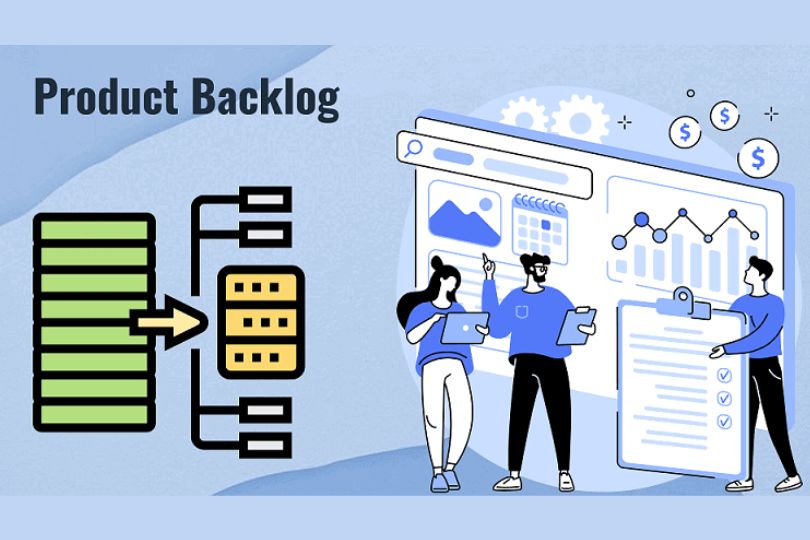
How to Build and Manage a Product Backlog Effectively Introduction A well-managed product backlog is crucial for successful product development, especially when following agile methodologies. It serves as a roadmap for the development team, guiding them toward the most valuable tasks and features. But building and managing a backlog isn’t just about creating a list—it’s about making sure that each item contributes toward delivering value to customers. In this blog, we’ll explore the best practices for building and managing a product backlog effectively, ensuring that your team can stay organized and focused on the right tasks at the right time. What Is a Product Backlog? A product backlog is a dynamic list of features, enhancements, bug fixes, and other tasks needed to improve a product. It serves as the primary source of work for agile teams, helping them prioritize and manage the tasks that drive product development. Items in the backlog can vary in size and complexity, from broad strategic goals to detailed user stories and technical tasks. Why is a Product Backlog Important? A product backlog ensures that the team works on the most valuable tasks and prevents them from getting bogged down by less important items. It helps: Align the Team’s Focus: By prioritizing tasks, the team knows exactly what to work on next. Maintain Transparency: The backlog is a living document, providing visibility into the work and progress for both stakeholders and team members. Improve Efficiency: With a well-organized backlog, teams can avoid delays and confusion, ensuring smoother development cycles. Steps to Build a Product Backlog Building an effective product backlog starts with understanding what needs to be included and how it should be structured. Here’s a step-by-step guide: 1. Define the Product Vision Before adding items to the backlog, make sure that you have a clear product vision. The product vision outlines the overarching goals of the product, what problem it solves, and who the target audience is. A well-defined vision ensures that the backlog reflects strategic priorities that align with the product’s goals. 2. Break Down the Vision into Features Once you have a product vision, break it down into high-level features that will help fulfill that vision. These features should be customer-focused and deliver tangible value. For example, if your product is a social media app, a feature might be “user authentication” or “content sharing.” 3. Create User Stories User stories are short, simple descriptions of a feature or task from the perspective of the user. They help clarify the intent behind the work and keep the team focused on customer outcomes. A typical user story might look like: As a user, I want to sign up for an account so that I can access personalized features. User stories should include acceptance criteria, which define the conditions that must be met for the story to be considered complete. 4. Prioritize the Backlog The next step is to prioritize your backlog. Not all tasks have the same level of importance. To prioritize, consider factors like: Business Value: Does the item contribute significantly to the product’s goals? Customer Impact: How will it improve the user experience or address user pain points? Effort and Complexity: How difficult is it to implement? Use frameworks like MoSCoW (Must-have, Should-have, Could-have, and Won’t-have) or the Eisenhower Matrix (Urgent vs. Important) to determine the priority of each backlog item. 5. Break Down Large Tasks into Smaller User Stories Large tasks can overwhelm a team and delay progress. Break them down into smaller, more manageable user stories that can be completed within a sprint. This approach ensures that the team can deliver incremental value and get frequent feedback. 6. Continuously Refine the Backlog A product backlog is never static. It should be regularly refined to reflect changing priorities, new feedback, and evolving requirements. Conduct regular backlog grooming sessions (also called backlog refinement) to ensure the backlog remains relevant and prioritized. How to Manage a Product Backlog Effectively Managing a product backlog goes beyond simply adding and prioritizing tasks. It requires ongoing attention, clear communication, and regular evaluation. Here are some best practices for managing a product backlog effectively: 1. Involve Stakeholders in Backlog Refinement Collaboration is key. Regularly involve stakeholders, including developers, designers, and business leaders, in backlog refinement sessions. Their input helps ensure that the backlog aligns with business needs, technical constraints, and user expectations. 2. Maintain a Clear Focus on Business Value While it’s easy to get sidetracked by minor bugs or low-impact features, it’s crucial to always keep the product vision and business value in mind. Prioritize high-value features that will drive the most impact for your customers and your company. 3. Keep the Backlog Items Small and Clear To maintain clarity and avoid confusion, break down large items into smaller, more actionable tasks. Keep each task clear and concise so that developers can quickly understand what needs to be done. 4. Regularly Review and Update the Backlog Backlogs evolve over time as new feedback and insights emerge. Set up regular reviews to update priorities and ensure that the backlog remains relevant. These reviews could happen on a weekly, bi-weekly, or monthly basis, depending on the pace of your development cycle. 5. Avoid Overloading the Backlog A product backlog should be actionable and manageable. Avoid overloading it with too many tasks, which can lead to confusion and burnout. Focus on a few critical items that will drive the most impact and remove outdated or irrelevant tasks. 6. Use Backlog Management Tools There are various tools available to help manage your backlog, including Jira, Trello, and Asana. These tools can help you track, prioritize, and collaborate on backlog items, making the process more organized and efficient. Common Mistakes to Avoid While building and managing a product backlog, it’s easy to make mistakes. Here are some common pitfalls to avoid: Lack of Prioritization: Failing to prioritize backlog items can lead to confusion and misaligned efforts. Overloading the Backlog: A backlog with too many items can become unmanageable, making it difficult

Product Owner

The Evolution of the Product Manager Role: Past, Present, and Future

The Evolution of the Product Manager Role: Past, Present, and Future Introduction The role of a Product Manager (PM) has undergone significant changes over the years, adapting to shifts in technology, business needs, and market demands. From its humble beginnings to becoming one of the most critical positions in tech companies today, the Product Manager’s role continues to evolve. This blog will explore how the role of the Product Manager has evolved from its past to its present, and what the future holds. Whether you’re a budding PM or an established one looking to stay ahead of the curve, understanding these changes can help you better navigate the future of product management. The Past: The Origins of Product Management The concept of product management can be traced back to the 1930s and 1940s, when companies like Procter & Gamble first introduced the position of “brand manager.” The primary responsibility of this early role was to manage the promotion and success of a particular brand or product. a. The Early Days: Focus on Marketing Initially, product management was closely aligned with marketing. In the mid-20th century, brand managers were responsible for the overall success of a product, including overseeing marketing strategies, conducting market research, and managing product lines. These individuals were more focused on ensuring a product’s marketability and profitability than its technical or development aspects. b. The Introduction of Cross-Functional Roles During the 1970s and 1980s, technology companies, especially in Silicon Valley, began to develop new product management structures. As companies grew, it became apparent that someone needed to oversee not just the marketing but also the technical aspects of a product. This led to the emergence of the role of “Product Manager” as we know it today. The Present: The Product Manager’s Expanded Role Today, the Product Manager is a key figure in tech companies, bridging the gap between engineering, marketing, sales, and customer support teams. The responsibilities of a PM have expanded far beyond marketing to include strategic decision-making, product development, and leadership. a. The Cross-Functional Leader A modern Product Manager plays a crucial role in coordinating multiple teams and aligning their efforts towards the successful development of a product. They are responsible for overseeing the entire product lifecycle, from ideation and design to launch and iteration. This means they must be able to communicate effectively with engineers, designers, marketers, and stakeholders. b. Data-Driven Decision Making In the present day, Product Managers are increasingly relying on data to make informed decisions. With access to powerful analytics tools, PMs can monitor user behavior, track product performance, and gather insights that shape future development. This data-driven approach has become a cornerstone of modern product management, making the role more analytical and metrics-focused. c. Customer-Centric Focus The role of the Product Manager is now more customer-centric than ever before. PMs are expected to deeply understand customer needs and pain points, which informs the direction of the product. Tools like user feedback surveys, A/B testing, and usability studies have empowered PMs to prioritize features that will provide the most value to customers. d. Emphasis on Agile Methodology The agile development process has transformed how products are created. In today’s environment, most PMs work within agile frameworks like Scrum or Kanban, where they break down product development into smaller iterations or sprints. This approach allows for flexibility, quicker iterations, and faster time-to-market, making PMs key drivers of efficient product development. The Future: What’s Next for Product Managers? The future of product management promises even more exciting challenges and opportunities. As technology continues to evolve, so too will the role of the Product Manager. Here are a few trends that are likely to shape the future of product management. a. Increased Focus on Artificial Intelligence and Automation AI and automation are expected to play a huge role in the future of product management. From using AI to predict market trends to automating repetitive tasks, PMs will need to understand how these technologies can improve product development and delivery. Future PMs may find themselves leveraging AI for tasks like customer segmentation, personalized recommendations, and predictive analytics. b. The Rise of Product-Led Growth (PLG) Product-Led Growth (PLG) is a strategy where the product itself drives user acquisition, expansion, and retention. As more companies adopt PLG strategies, Product Managers will need to focus even more on building products that are intuitive, easy to use, and offer a compelling user experience. This will require close collaboration with user experience (UX) designers, customer success teams, and marketers. c. Greater Emphasis on Emotional Intelligence and Leadership Skills As the role of the Product Manager continues to evolve, soft skills like emotional intelligence (EQ) and leadership will become even more important. PMs will need to inspire and motivate cross-functional teams, navigate complex stakeholder relationships, and drive decision-making in high-pressure situations. The future of product management will require strong leadership to balance competing interests and ensure alignment across teams. d. Growing Integration with Business Strategy In the future, Product Managers will be expected to take on more strategic responsibilities. They will need to understand not just the product development process, but also how their products fit into the broader business strategy. PMs will be involved in high-level decision-making around company growth, market expansion, and product portfolio management. As the role becomes more integrated with business strategy, PMs will have a greater impact on the overall success of the company. e. The Evolving Role in Sustainability and Ethics As consumers become more conscious of sustainability and ethical practices, Product Managers will be increasingly involved in ensuring that products are both environmentally friendly and ethically produced. PMs may need to address issues such as carbon footprints, supply chain transparency, and product lifecycle sustainability, while balancing the need to meet business goals and consumer expectations. Conclusion The role of a Product Manager has evolved significantly from its marketing-driven origins to its current place at the heart of the tech world. Today, PMs are multifaceted leaders who must balance strategic, technical, and customer-centric responsibilities. As

Product Owner

Breaking into Tech: How to Start Your Career as a Product Manager

Breaking into Tech: How to Start Your Career as a Product Manager Introduction The tech industry is rapidly growing, offering exciting opportunities for those interested in shaping the products that people use daily. Among the most sought-after roles is that of a Product Manager (PM). PMs are the visionaries who guide product development from inception to launch, making crucial decisions that determine a product’s success. If you’re interested in transitioning into the tech industry or kickstarting a career as a Product Manager, this blog will guide you through the essential steps. From understanding the role to building the right skills and networking effectively, you’ll learn everything you need to get started on your journey. What is a Product Manager? Before diving into the specifics of how to become a Product Manager, it’s essential to understand the role. A Product Manager is responsible for defining the vision and strategy for a product, managing its lifecycle, and ensuring it meets user needs while aligning with business goals. PMs work closely with cross-functional teams, including engineering, design, marketing, and sales, to deliver successful products. They need a mix of technical knowledge, business acumen, and leadership skills to ensure the product’s success. 1. Develop the Right Skills To succeed as a Product Manager, you’ll need to acquire a combination of technical, business, and soft skills. Here’s a breakdown of the key skills required: a. Technical Understanding While you don’t need to be an engineer, understanding the basics of technology is crucial. Familiarize yourself with the development process, APIs, databases, and how software is built. You don’t need to code, but being able to communicate effectively with engineers is important. b. Business Acumen Product managers must have a solid understanding of the market, customer needs, and business goals. Understanding product-market fit, customer segmentation, and competitive analysis are key elements of a PM’s skillset. c. Communication Skills As a PM, you’ll be interacting with various stakeholders. Strong communication skills are essential to explain complex ideas clearly and align teams on a common vision. Whether writing product specs, pitching ideas, or leading meetings, communication is a cornerstone of the role. d. Problem-Solving Abilities PMs often face complex challenges and must be able to think critically and creatively. The ability to solve problems quickly and efficiently, especially under pressure, is vital. e. Project Management You’ll need to coordinate resources, timelines, and teams to ensure products are delivered on schedule. Familiarize yourself with project management tools like Jira, Trello, or Asana. 2. Gain Relevant Experience Even if you’re starting from scratch, there are several ways to gain experience that will make you a more attractive candidate for a product management role. a. Work on Side Projects Building a side project can give you hands-on experience with product development. Whether it’s creating a small app, website, or even organizing an event, real-world projects help you understand the challenges of building and managing a product. b. Internships and Entry-Level Roles Internships or entry-level positions in product management are excellent starting points. These roles allow you to learn from experienced PMs and understand the intricacies of the job while contributing to real product development. c. Leverage Your Current Experience If you’re already working in another role, such as marketing, customer support, or engineering, you can transition into product management by leveraging your existing skills. For example, a marketing professional may have insights into customer behavior, which is a valuable asset in product development. d. Freelance or Contract Work Freelancing for startups or small businesses is another way to gain PM experience. Many smaller companies may not have a full-time product team but still need someone to help guide product development. 3. Build a Strong Network Networking is one of the most effective ways to break into tech. Building relationships with professionals in the field can open doors to job opportunities and mentorship. a. Attend Meetups and Conferences Product management meetups and conferences are great opportunities to meet industry professionals, learn from experts, and expand your network. Look for events in your area or virtual conferences you can attend. b. Join Product Management Communities There are several online communities where PMs exchange knowledge, discuss trends, and share job opportunities. Platforms like LinkedIn, Product Coalition, and Mind the Product are great places to engage with other PMs and gain insights into the industry. c. Find a Mentor A mentor can help guide you through the complexities of product management. Look for someone who has experience in the field and is willing to offer advice and support. d. Connect on LinkedIn LinkedIn is a powerful tool for connecting with professionals in the product management space. When reaching out to someone, make sure to personalize your message and explain why you’re interested in connecting. 4. Learn from Product Management Resources To further develop your skills and understanding of the PM role, invest time in consuming relevant resources. a. Books There are many excellent books on product management that cover everything from strategy to day-to-day operations. A few must-reads include: “Inspired: How to Create Products Customers Love” by Marty Cagan “Lean Product and Lean Analytics” by Ben Yoskovitz “Hooked: How to Build Habit-Forming Products” by Nir Eyal b. Online Courses Consider enrolling in online courses to gain formal knowledge in product management. Platforms like Coursera, Udemy, and edX offer courses on product management that cover the essentials. c. Podcasts and Blogs Listen to podcasts and read blogs to stay updated on trends in the industry. Some popular product management podcasts include Product People and The Product Podcast by Product School. 5. Tailor Your Resume and Apply Once you’ve built up the necessary skills and experience, it’s time to start applying for jobs. Here’s how you can tailor your resume: a. Highlight Transferable Skills If you’re transitioning from another field, make sure to highlight transferable skills on your resume. For instance, if you have experience in project management, leadership, or customer research, these are all valuable skills for a PM. b. Focus on Impact Product managers are

Product Owner

10 Books Every Product Manager Should Read

10 Books Every Product Manager Should Read Introduction Being a successful product manager requires a diverse skill set: strategic thinking, leadership, problem-solving, and an in-depth understanding of both business and technology. While real-world experience is invaluable, learning from the wisdom of experts can accelerate your growth. If you’re looking to enhance your product management skills, diving into the right books can offer the insights and frameworks you need to succeed. In this blog, we’ve compiled a list of 10 must-read books that will equip you with the tools and knowledge to become a more effective product manager. 1. “Inspired: How To Create Products Customers Love” by Marty Cagan This book is often considered the Bible for product managers. Marty Cagan outlines how top tech companies like Google, Amazon, and Netflix approach product development. The book focuses on how to create products that truly resonate with customers and provides insights into building great product teams. Key Takeaways: Best practices for managing product teams. How to balance customer needs with business goals. Frameworks for prioritizing product features. Why Read It?: If you’re new to product management or looking to refine your skills, this book will provide the foundation for understanding what makes successful products. 2. “Lean Product and Lean Analytics” by Ben Yoskovitz and Alistair Croll This book combines the principles of Lean Startup and Lean Analytics, offering a structured approach to building products iteratively and using data to drive decisions. It focuses on optimizing the product development process to achieve faster, more effective results. Key Takeaways: How to build a minimum viable product (MVP). The importance of metrics in product development. Tools for validating assumptions with customers. Why Read It?: If you’re looking to make data-driven decisions and reduce the risk of failure, this book will teach you how to use lean principles in product development. 3. “The Lean Startup” by Eric Ries Another foundational text, The Lean Startup focuses on how to apply lean principles to product management. Eric Ries introduces the concept of creating a “build-measure-learn” feedback loop to help product teams test and refine their ideas in a cost-effective way. Key Takeaways: How to test product ideas quickly and inexpensively. The importance of pivoting or persevering based on data. How to maximize customer feedback. Why Read It?: This book is a must-read if you’re involved in any type of new product development and want to avoid wasting time or resources on ideas that don’t work. 4. “Hooked: How to Build Habit-Forming Products” by Nir Eyal In this book, Nir Eyal breaks down the psychology behind what makes certain products addictive. If you’re creating consumer-facing products, understanding the principles of habit-forming behavior is critical to product success. Key Takeaways: The “Hook Model” for creating habit-forming products. Psychological triggers that influence customer behavior. How to use habits to increase user retention. Why Read It?: This book is valuable for product managers looking to create long-term customer engagement through behavioral science. 5. “The Product Manager’s Desk Reference” by Steven Haines This book provides a comprehensive guide to the day-to-day tasks and responsibilities of a product manager. It’s a great resource for those looking for structured advice and practical tips on managing the entire product lifecycle. Key Takeaways: Detailed frameworks for each phase of the product lifecycle. Tips on creating product roadmaps and managing stakeholder expectations. Tools for managing product teams and collaboration. Why Read It?: Ideal for both beginners and experienced PMs who need a practical, easy-to-reference guide to managing products effectively. 6. “Measure What Matters” by John Doerr This book introduces the concept of Objectives and Key Results (OKRs), a framework that has been widely adopted by tech companies to set and measure progress towards ambitious goals. John Doerr shares stories from Google and other companies that have used OKRs to drive product success. Key Takeaways: How to set clear, measurable goals (OKRs). The role of transparency in goal-setting. The importance of measuring progress and iterating based on results. Why Read It?: OKRs are a powerful tool for product managers who want to ensure alignment between teams and track the success of their initiatives. 7. “Good Strategy Bad Strategy” by Richard Rumelt Understanding how to formulate a good strategy is essential for any product manager. In this book, Richard Rumelt explains the importance of focusing on critical issues and making clear decisions to steer your product in the right direction. Key Takeaways: The difference between good and bad strategy. How to identify critical problems and opportunities. Frameworks for making strategic decisions that matter. Why Read It?: This book will help product managers learn how to focus their efforts on strategic decisions that drive long-term success. 8. “The Hard Thing About Hard Things” by Ben Horowitz In this candid memoir, Ben Horowitz shares the challenges he faced while running a tech company. He provides invaluable lessons on leadership, decision-making, and navigating tough situations in product management. Key Takeaways: How to make difficult decisions in the face of uncertainty. Tips for managing teams through crisis situations. The importance of leadership and company culture. Why Read It?: This book is essential for product managers who aspire to become leaders or who need to manage difficult situations in product development. 9. “Lean UX: Applying Lean Principles to Improve User Experience” by Jeff Gothelf User experience is an integral part of product management, and Lean UX offers actionable insights into how to integrate user feedback and design thinking into the product development process. It emphasizes collaboration between product and design teams. Key Takeaways: How to integrate UX design into the product development process. The importance of user research and rapid testing. Methods for creating products that meet customer needs. Why Read It?: For PMs working closely with design teams, this book is a must-read for understanding how to create user-centric products. 10. “Product Leadership: How Top Product Managers Launch Awesome Products and Build Successful Teams” by Ben Horowitz This book explores the critical role of leadership in product management. Ben Horowitz and his co-authors

    This will close in 0 seconds