Welcome to DreamsPlus

Artificial Intelligence

AI in Cybersecurity: Protecting Your Organization with Intelligent Solutions

AI in Cybersecurity: Protecting Your Organization with Intelligent Solutions In today’s digital-first world, organizations face an ever-growing number of cyber threats. As traditional defenses struggle to keep up, Artificial Intelligence (AI) has emerged as a game-changer in cybersecurity. With its ability to detect, prevent, and mitigate risks intelligently, AI is reshaping how businesses safeguard their digital assets. This blog explores how AI is transforming cybersecurity and provides actionable insights for organizations looking to enhance their defenses. The Role of AI in Cybersecurity AI in cybersecurity leverages machine learning algorithms, data analysis, and predictive capabilities to identify and respond to threats in real time. Unlike traditional security systems that rely on predefined rules, AI can adapt to new threats dynamically. Key Benefits of AI in Cybersecurity Enhanced Threat Detection: AI identifies anomalies and potential threats faster than human operators. Automated Responses: Intelligent systems can mitigate risks instantly, reducing downtime. Scalability: AI solutions can handle vast amounts of data, making them ideal for large organizations. Improved Accuracy: Machine learning minimizes false positives and ensures precise threat detection. How AI Strengthens Cyber Defenses 1. Threat Intelligence and Prediction: AI systems analyze vast datasets to predict potential threats. By identifying patterns, they forecast cyberattacks before they occur. Example: Predictive algorithms detect unusual login attempts that might indicate brute force attacks. 2. Real-Time Threat Monitoring: AI-powered tools provide continuous monitoring, ensuring that threats are detected and neutralized instantly. Example: Intrusion Detection Systems (IDS) use AI to monitor network traffic for malicious activities. 3. Behavioral Analysis: AI systems learn user behavior and detect deviations that may indicate insider threats or account compromises. Example: An AI tool flags an employee’s login from an unrecognized device or location. 4. Automated Incident Response: AI accelerates response times by automating actions such as isolating compromised systems and blocking malicious IPs. Example: A Security Information and Event Management (SIEM) tool uses AI to quarantine infected endpoints. 5. Fraud Detection: AI identifies fraudulent activities by analyzing transactional data and recognizing suspicious patterns. Example: E-commerce platforms use AI to detect credit card fraud in real time. Applications of AI in Cybersecurity 1. Malware Detection: Traditional antivirus programs rely on signature-based detection. AI, however, identifies new and unknown malware through behavior analysis. 2. Phishing Prevention: AI analyzes email content and sender behavior to detect phishing attempts, protecting organizations from data breaches. 3.Network Security: AI-powered systems monitor network traffic and detect intrusions, ensuring robust network security. 4. Endpoint Protection: AI secures endpoints by detecting unauthorized access and preventing data leakage. Challenges in Implementing AI for Cybersecurity While AI offers significant advantages, organizations may face hurdles in its implementation: 1. High Costs: AI systems require substantial investment in infrastructure and expertise. 2. Data Privacy Concerns: Using AI involves handling sensitive data, raising concerns about privacy and compliance. 3. Evolving Threats: Cybercriminals are also leveraging AI, necessitating constant innovation in defenses. 4. Skill Gaps: Organizations may lack personnel skilled in AI and cybersecurity. Best Practices for Leveraging AI in Cybersecurity Invest in Training: Equip teams with AI and cybersecurity skills. Adopt Scalable Solutions: Choose tools that can grow with your organization’s needs. Collaborate with Experts: Partner with cybersecurity firms specializing in AI. Ensure Compliance: Align AI implementations with regulatory requirements. Regularly Update AI Models: Keep models trained with the latest threat data. The Future of AI in Cybersecurity AI’s role in cybersecurity will continue to grow as threats become more sophisticated. Future innovations include: AI-Driven Deception Technologies: Honeypots that use AI to trap attackers. Advanced Threat Hunting: Proactive AI tools to identify risks before exploitation. Edge AI: AI applications running at the network’s edge for faster threat responses. Conclusion AI is revolutionizing cybersecurity by offering intelligent, efficient, and scalable solutions to combat modern threats. By adopting AI-powered tools, organizations can strengthen their defenses and protect their critical assets. Ready to fortify your cybersecurity strategy? Explore AI solutions today and stay ahead of emerging threats.

Artificial Intelligence

Machine Learning vs. Deep Learning: What IT Experts Need to Know

Machine Learning vs. Deep Learning: What IT Experts Need to Know The rapid advancements in Artificial Intelligence (AI) have sparked growing interest in two key domains: Machine Learning (ML) and Deep Learning (DL). These technologies are shaping industries, but understanding their differences and applications is essential for IT experts aiming to leverage their power. This blog explores the distinctions, advantages, and use cases of Machine Learning and Deep Learning to help you navigate the evolving tech landscape. What is Machine Learning? Machine Learning is a subset of AI that enables computers to learn and improve from experience without being explicitly programmed. It involves training algorithms on data to make predictions or decisions based on patterns. Key Features of Machine Learning Data Dependency: ML relies on structured and labeled data. Algorithms: Common algorithms include linear regression, decision trees, and support vector machines. Human Intervention: Requires feature extraction and manual tuning of models. Applications of Machine Learning Spam Detection: Identifying and filtering spam emails. Customer Segmentation: Analyzing customer behavior for targeted marketing. Fraud Detection: Recognizing anomalies in financial transactions. What is Deep Learning? Deep Learning is a specialized subset of Machine Learning that uses artificial neural networks to process and analyze large volumes of data. Inspired by the human brain, DL models can automatically extract features and identify patterns. Key Features of Deep Learning Neural Networks: DL leverages multiple layers of neural networks. Data Requirement: Requires vast amounts of labeled or unlabeled data. Automation: Eliminates the need for manual feature extraction. Applications of Deep Learning Image Recognition: Classifying and identifying objects in images. Natural Language Processing (NLP): Powering chatbots and voice assistants. Autonomous Vehicles: Enabling self-driving cars to perceive their environment. Key Differences Between Machine Learning and Deep Learning Aspect Machine Learning Deep Learning Data Dependency Works well with small datasets Requires large datasets Feature Extraction Manual Automated Performance Limited for complex tasks Excels in handling complex tasks Hardware Can run on standard machines Requires GPUs or TPUs Applications General-purpose Specialized, such as image and speech processing How to Choose Between Machine Learning and Deep Learning The choice depends on several factors, including the complexity of the task, available data, and computational resources. Consider the following: Task Complexity: For simple tasks like regression or classification, ML suffices. For intricate tasks like image recognition, DL is preferable. Data Availability: If you have limited data, opt for ML. DL thrives on large datasets. Resources: ML works with standard hardware, whereas DL demands high-performance computing. Real-World Use Cases Machine Learning Use Cases Healthcare: Predicting patient readmissions. Retail: Recommending products based on purchase history. Finance: Assessing credit risk. Deep Learning Use Cases Entertainment: Enhancing content recommendations on platforms like Netflix. Manufacturing: Detecting defects in products through visual inspection. Transportation: Powering facial recognition systems in airports. Advantages and Challenges Advantages of Machine Learning Simplicity and ease of implementation. Effective for structured data and small-scale projects. Challenges of Machine Learning Limited scalability for complex tasks. Dependency on feature engineering. Advantages of Deep Learning Superior performance for unstructured data. Capable of solving complex problems autonomously. Challenges of Deep Learning High computational cost. Dependency on large datasets. Actionable Steps for IT Experts Understand Your Needs: Assess your project’s requirements and data availability. Invest in Resources: For DL, ensure access to GPUs or cloud platforms like AWS or Google Cloud. Learn Continuously: Stay updated on the latest tools and frameworks like TensorFlow and PyTorch. Start Small: Experiment with ML before diving into DL to build foundational knowledge. Curious to explore Machine Learning and Deep Learning further? Subscribe now to receive expert tips, tutorials, and insights directly to your inbox!

Artificial Intelligence

How AI is Transforming the IT Landscape: Insights and Opportunities

How AI is Transforming the IT Landscape: Insights and Opportunities Artificial Intelligence (AI) is revolutionizing the IT industry, bringing unprecedented opportunities and challenges. For IT professionals, understanding how AI reshapes the landscape is crucial for staying competitive and innovative. This blog explores the transformative effects of AI on IT operations, decision-making, and future opportunities. The Role of AI in IT AI is no longer an emerging technology; it has become a core component of IT strategies. By automating processes, improving efficiency, and enabling data-driven decision-making, AI is enhancing IT functions across industries. Key Areas of AI in IT Automation: AI-driven automation tools streamline repetitive tasks, allowing IT teams to focus on strategic initiatives. Predictive Analytics: AI predicts system failures and security threats, enabling proactive measures. Natural Language Processing (NLP): Chatbots and virtual assistants improve customer service and internal IT support. Cybersecurity: AI identifies and mitigates vulnerabilities in real time, strengthening IT security frameworks. Transformative Applications of AI in IT 1. Enhanced IT Operations: AI-powered tools monitor system performance and optimize resource allocation, reducing downtime and costs. IT professionals use these tools to ensure seamless operations. 2. Data Management: AI simplifies data management by categorizing, analyzing, and extracting insights from vast datasets. This capability is particularly beneficial for businesses dealing with big data. 3. Software Development: From code generation to debugging, AI accelerates software development cycles. Tools like GitHub Copilot assist developers by suggesting relevant code snippets and solutions. 4. Improved User Experiences: AI enhances user interfaces by personalizing experiences, predicting user needs, and ensuring intuitive design. Opportunities for IT Professionals 1. Upskilling in AI Technologies: IT professionals can boost their careers by learning AI frameworks such as TensorFlow and PyTorch. 2. Developing AI-Integrated Solutions: Understanding AI allows IT experts to create innovative solutions tailored to specific business needs. 3. Collaboration with AI Systems: Professionals must adapt to working alongside AI tools, leveraging their capabilities for maximum impact. Challenges in AI Implementation 1. Ethical Concerns: AI systems must be designed with transparency and fairness to avoid biases. 2. Resource Constraints: High computational costs and limited expertise are significant barriers for many organizations. 3. Data Privacy: Ensuring data security while using AI for analytics is a critical challenge. Actionable Insights Adopt a Learning Mindset: Stay updated with AI trends and innovations. Start Small: Begin integrating AI in specific areas before scaling up. Collaborate: Work with cross-functional teams to maximize AI’s potential. Ready to explore the potential of AI in IT? Subscribe now to receive the latest insights and practical tips for leveraging AI in your career or organization.

Artificial Intelligence

The Top 10 AI Trends Every IT Professional Should Know in 2025

The Top 10 AI Trends Every IT Professional Should Know in 2025 Artificial Intelligence (AI) is evolving at an unprecedented pace, and IT professionals must stay ahead of the curve to remain competitive. In 2025, AI will continue to revolutionize industries, offering innovative solutions and transforming how we approach technology. Here are the top 10 AI trends every IT professional should know to navigate this transformative era. 1. Ethical AI and Responsible AI As AI becomes more integrated into everyday applications, ethical concerns are growing. Responsible AI focuses on developing systems that prioritize transparency, fairness, and accountability. Actionable Insight: Establish ethical guidelines and conduct regular audits to ensure AI systems adhere to fairness and transparency. Example: Tech giants like Google and Microsoft are investing heavily in responsible AI frameworks to mitigate biases and improve decision-making. 2. Generative AI Generative AI, like ChatGPT and DALL-E, is reshaping content creation by generating human-like text, images, and even music. Use Case: Automating content generation for marketing, software code generation, and creative projects. Actionable Insight: Learn tools such as OpenAI’s APIs to integrate generative AI capabilities into applications. 3. AI in Cybersecurity AI is pivotal in identifying and mitigating cybersecurity threats in real-time. Predictive analytics and anomaly detection are becoming standard. Example: AI-driven tools like Darktrace and CrowdStrike proactively monitor and neutralize potential threats. Actionable Insight: Integrate AI-powered cybersecurity solutions into IT infrastructures to enhance threat detection. 4. Edge AI Edge AI processes data locally on devices rather than relying on centralized systems, enabling faster decision-making and reducing latency. Example: Autonomous vehicles rely on Edge AI for real-time decision-making. Actionable Insight: Explore frameworks like TensorFlow Lite and NVIDIA Jetson for Edge AI implementation. 5. AI in IT Operations (AIOps) AIOps leverages AI to automate IT operations, enhancing system reliability and efficiency. Use Case: Predictive maintenance, automated issue resolution, and workload optimization. Actionable Insight: Familiarize yourself with AIOps platforms like Dynatrace and Splunk to improve IT operations. 6. AI-Powered Personalization Personalization driven by AI algorithms is enhancing user experiences in e-commerce, entertainment, and education. Example: Netflix’s recommendation engine uses AI to tailor content for users. Actionable Insight: Implement AI-driven personalization tools to boost user engagement and satisfaction. 7. AI in Healthcare AI is revolutionizing healthcare with advancements in diagnostics, drug discovery, and personalized medicine. Example: AI tools like IBM Watson Health analyze medical data to provide precise diagnoses. Actionable Insight: Stay informed about AI healthcare tools and explore opportunities for integration into IT systems. 8. AI for Sustainability AI is being deployed to tackle environmental challenges by optimizing energy usage, monitoring ecosystems, and predicting climate changes. Example: Google’s AI-powered data centers achieve energy savings through efficient resource management. Actionable Insight: Use AI tools to develop sustainable IT practices and reduce carbon footprints. 9. Quantum AI The integration of quantum computing with AI is unlocking unparalleled computational power, solving complex problems faster. Example: Quantum AI is advancing fields like material science and cryptography. Actionable Insight: Begin exploring quantum computing basics and its potential applications in AI. 10. AI Democratization AI tools and platforms are becoming more accessible, empowering non-experts to leverage AI in their workflows. Example: Platforms like Microsoft Azure AI and Google AutoML enable businesses to implement AI without extensive expertise. Actionable Insight: Explore no-code or low-code AI platforms to democratize AI usage within your organization. Ready to future-proof your IT career? Subscribe now to get the latest insights, tutorials, and updates on cutting-edge AI trends.

Agile Developers

The Agile Developer’s Guide to Estimation Techniques

The Agile Developer’s Guide to Estimation Techniques Agile development is all about flexibility, speed, and delivering value. However, one critical aspect often overlooked is how to accurately estimate the time and effort required for tasks. Estimation techniques in Agile help teams plan, prioritize, and deliver efficiently while managing stakeholders’ expectations. In this guide, we’ll walk you through the most effective Agile estimation techniques, providing actionable insights to improve your development process. Why Estimation Matters in Agile Accurate estimation is pivotal for any Agile team. While Agile emphasizes flexibility, it still requires careful planning to meet deadlines and deliver on commitments. Estimation allows developers to: Prioritize tasks effectively: Understand which tasks are most important and need attention first. Manage expectations: Clearly communicate timelines and resource allocation with stakeholders. Balance work: Distribute the workload evenly across the team to avoid burnout. In Agile, estimation is not about predicting the exact time a task will take, but about providing a framework that enables teams to make informed decisions. Key Agile Estimation Techniques In Agile, there’s no “one-size-fits-all” estimation method. Depending on your team and project, different techniques may work best. Let’s explore the most popular ones. 1. Story Points Story Points are perhaps the most common Agile estimation technique. Instead of estimating the time it will take to complete a task, teams assign a relative value to user stories. Story points represent the complexity, effort, and risk involved in completing a task. This technique encourages teams to focus on effort, not time, fostering a better understanding of project challenges. How to Use Story Points: Create a baseline story: Start with a user story you all agree upon. Assign it a small number of points, like 1. Relative estimation: For each new story, compare its complexity to the baseline. If it seems more complex, assign it more points (e.g., 3, 5, or 8 points). Fibonacci sequence: Many teams use a Fibonacci scale for story points (1, 2, 3, 5, 8, 13, etc.). This encourages teams to focus on the larger uncertainties in more complex tasks. Pros: Flexible and team-focused. Removes the pressure of estimating time. Cons: May take time to get used to, especially for new teams. 2. Planning Poker Planning Poker is an interactive, consensus-driven estimation technique. Each team member privately estimates the effort needed for a task using numbered cards. After everyone reveals their estimates, the team discusses the reasons behind the values to arrive at a consensus. How to Use Planning Poker: Prepare the deck: Each player has a deck of cards with numbers representing effort (e.g., 1, 2, 3, 5, 8, etc.). Estimate: The product owner reads the user story, and each developer picks a card that represents their estimate. Discuss: If estimates differ significantly, the team discusses the reasons. After the discussion, everyone re-estimates. Consensus: The team arrives at a final estimate. Pros: Engages the entire team in the estimation process. Ensures diverse perspectives are considered. Cons: Requires time and consensus-building, which can be slow for large teams. 3. T-Shirt Sizing T-Shirt Sizing is a simple and intuitive technique where tasks are assigned sizes based on effort: XS (extra small), S (small), M (medium), L (large), XL (extra-large). This is particularly useful when the team is new or when the user stories are vague. How to Use T-Shirt Sizing: Assign sizes: The team assigns each user story a size based on how complex it seems compared to other stories. Review periodically: As the project progresses, the team can adjust the sizes if necessary. Pros: Quick and easy. Suitable for teams with little experience in estimation. Cons: Lack of granularity compared to more detailed methods like story points. 4. The Bucket System The Bucket System is a method where user stories are placed into “buckets” based on their estimated effort. This technique helps in quickly categorizing stories without too much detail, making it ideal for larger backlogs. How to Use the Bucket System: Create buckets: Define several buckets based on story sizes (e.g., 1, 2, 3, 5, 8, etc.). Estimate stories: Team members place user stories in the appropriate bucket based on their perceived complexity. Review and discuss: Review stories in each bucket to ensure they align with the team’s understanding of effort. Pros: Fast, especially for large backlogs. Reduces complexity by focusing on broad categories. Cons: Lacks fine-grained estimates for precise planning. 5. Affinity Estimation Affinity Estimation is a collaborative method where the team sorts user stories based on their relative effort, starting with rough groupings and refining them through discussions. How to Use Affinity Estimation: Prepare the stories: List all the user stories on cards or sticky notes. Sort by size: As a team, sort the stories into piles based on perceived effort, without worrying too much about exact numbers. Refine: Gradually refine the categories by grouping similar stories together and clarifying any discrepancies. Pros: Collaborative and quick. Good for refining estimates with input from all team members. Cons: May not be as detailed as other methods, especially in large teams. Best Practices for Agile Estimation Involve the Entire Team: Estimation is most effective when the whole team participates, as it brings diverse perspectives and expertise. Keep Estimates Flexible: Agile is about adapting to changes. Don’t treat estimates as fixed; review and adjust them as necessary. Use Historical Data: Look back at similar tasks to inform your estimates. Past experience can be invaluable in refining future estimates. Avoid Perfectionism: Estimates don’t need to be perfect. Focus on accuracy relative to the task’s complexity, not on an exact number. Keep It Simple: Use simple techniques like T-shirt sizing for quicker projects and more granular ones like Story Points for larger, more complex tasks. Conclusion Agile estimation techniques help developers plan their work more effectively, make informed decisions, and manage expectations with stakeholders. Whether you choose Story Points, Planning Poker, T-Shirt Sizing, or any of the other methods, the goal is to estimate tasks relative to each other while remaining flexible enough to adjust as the project progresses. Remember,

Agile Developers

How Agile Developers Work with Product Owners and Scrum Masters

How Agile Developers Work with Product Owners and Scrum Masters Agile development thrives on collaboration, adaptability, and shared ownership of goals. Among the key roles in any Agile team, developers, Product Owners (POs), and Scrum Masters (SMs) must work seamlessly to ensure the delivery of high-quality products that align with business needs. This blog explores how Agile developers collaborate with POs and SMs, the challenges they face, and best practices to foster effective teamwork. The Role of Agile Developers Agile developers are more than just coders. They are active participants in planning, execution, and continuous improvement. Their responsibilities include: Developing Functional Software: Delivering high-quality code aligned with the product’s requirements. Collaborating with Stakeholders: Actively engaging with POs and SMs to clarify requirements and remove roadblocks. Participating in Agile Ceremonies: Contributing to stand-ups, sprint planning, reviews, and retrospectives. Testing and Iterating: Ensuring software meets quality standards through rigorous testing and continuous feedback loops. The Role of the Product Owner The PO is the voice of the customer and the bridge between business stakeholders and the development team. Their primary responsibilities include: Defining Product Vision: Clearly articulating the goals and direction of the product. Managing the Backlog: Prioritizing user stories and ensuring the backlog is up-to-date. Clarifying Requirements: Providing detailed guidance to developers on functionality and user needs. Stakeholder Engagement: Balancing feedback and expectations from various stakeholders. The Role of the Scrum Master The SM is a servant-leader responsible for ensuring the team’s adherence to Agile principles. Key responsibilities include: Facilitating Scrum Events: Organizing stand-ups, sprint planning, reviews, and retrospectives. Removing Impediments: Addressing blockers that hinder the team’s progress. Coaching the Team: Guiding the team to improve processes and adopt Agile best practices. Promoting Collaboration: Encouraging open communication and resolving conflicts within the team. Collaboration Between Agile Developers and Product Owners The synergy between developers and POs is critical for delivering a product that meets user expectations. Here’s how developers and POs can work together effectively: 1. Clear Communication Developers and POs must maintain open lines of communication. Regular discussions during sprint planning and backlog grooming sessions ensure everyone understands the requirements. 2. Involvement in Requirement Gathering Developers can contribute valuable insights during requirement gathering. Their technical expertise helps identify potential challenges early, enabling the PO to refine user stories. 3. Frequent Feedback Developers rely on the PO for continuous feedback. Whether it’s clarifying acceptance criteria or validating implemented features, real-time feedback ensures alignment. Collaboration Between Agile Developers and Scrum Masters While POs focus on the “what” and “why,” SMs focus on the “how.” Developers and SMs collaborate to create a productive working environment. 1. Facilitating Agile Practices SMs help developers adhere to Agile methodologies, from maintaining velocity to ensuring work-life balance. This support enables developers to focus on coding without unnecessary distractions. 2. Addressing Impediments Developers often encounter technical or organizational roadblocks. SMs act as problem solvers, addressing these issues quickly to keep the sprint on track. 3. Encouraging Retrospective Improvements During retrospectives, developers share insights into what worked and what didn’t. SMs facilitate these discussions, turning feedback into actionable improvements. Best Practices for Effective Collaboration 1. Establish a Shared Vision Ensure all team members—developers, POs, and SMs—understand and align with the product’s goals. 2. Foster Transparency Use tools like Jira or Trello to track progress and ensure everyone has visibility into tasks and priorities. 3. Promote Regular Interaction Encourage daily stand-ups and regular one-on-one meetings to address issues promptly. 4. Empower Self-Organization Allow developers to make technical decisions, with POs providing guidance and SMs ensuring process alignment. 5. Leverage Agile Ceremonies Use sprint planning to clarify user stories, stand-ups to address daily progress, and retrospectives to improve collaboration. Overcoming Common Challenges 1. Ambiguous Requirements POs must provide clear and detailed user stories. Developers can ask questions to eliminate ambiguity. 2. Scope Creep SMs should ensure the team sticks to the agreed sprint goals. Developers can push back against adding work mid-sprint. 3. Lack of Stakeholder Engagement POs need to actively engage with stakeholders to relay feedback and ensure alignment. 4. Technical Debt Developers, with support from POs and SMs, should allocate time for refactoring and addressing technical debt. Tools to Enhance Collaboration Communication Tools: Slack, Microsoft Teams Project Management Tools: Jira, Trello, Asana Documentation Tools: Confluence, Notion Development Tools: GitHub, GitLab Conclusion Agile development thrives on collaboration between developers, Product Owners, and Scrum Masters. By fostering clear communication, shared goals, and mutual respect, these roles can create an environment that drives successful product delivery. Implementing best practices, addressing challenges proactively, and leveraging the right tools can further enhance teamwork. Are you ready to optimize your Agile practices? Subscribe to our newsletter for more insights and actionable tips on Agile development!

Agile Developers

Test-Driven Development (TDD): Why It Matters for Agile Teams

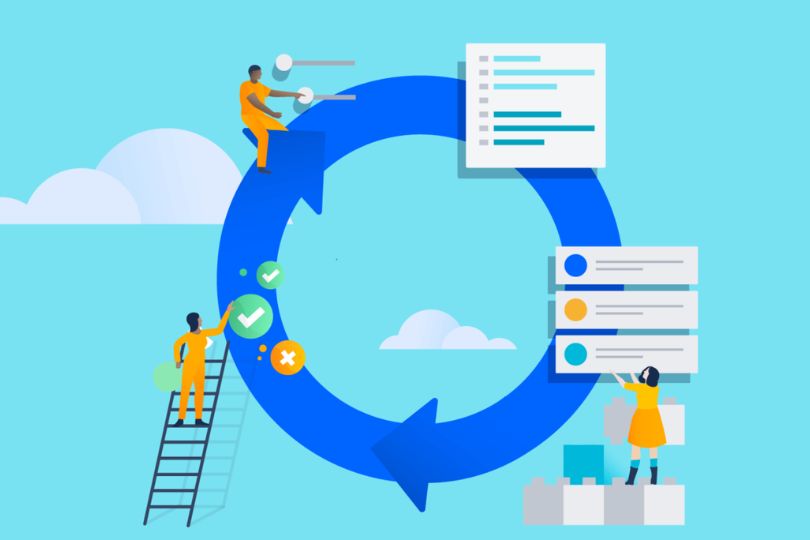
Test-Driven Development (TDD): Why It Matters for Agile Teams In the fast-paced world of Agile development, where flexibility and responsiveness are key, adopting effective methodologies can make or break a project. Among these methodologies, Test-Driven Development (TDD) stands out as a critical practice that aligns perfectly with Agile principles. This blog delves into why TDD matters for Agile teams and how it contributes to better software quality, enhanced collaboration, and accelerated delivery. What is Test-Driven Development (TDD)? TDD is a software development process where tests are written before the actual code. It follows a repetitive cycle often referred to as “Red-Green-Refactor”: Red: Write a test that fails because the functionality is not yet implemented. Green: Write the minimum code needed to make the test pass. Refactor: Improve the code while ensuring that all tests still pass. This iterative approach ensures a constant focus on quality and adherence to requirements. The Role of TDD in Agile Development TDD complements Agile methodologies in the following ways: Supports Incremental Development: Agile thrives on delivering small, functional increments. TDD ensures that each increment is thoroughly tested and meets requirements. Enhances Collaboration: Writing tests first encourages communication between developers, testers, and product owners, fostering a shared understanding of requirements. Improves Adaptability: With TDD, changes in requirements are easier to handle because the tests act as a safety net, catching regressions early. Key Benefits of TDD for Agile Teams 1. Higher Code Quality Tests written beforehand set clear expectations for the code. Early detection of bugs reduces technical debt. 2. Faster Feedback Loop Automated tests provide immediate feedback, enabling quicker iterations. Developers can identify and resolve issues before they escalate. 3. Better Design Writing tests first encourages developers to write modular and maintainable code. TDD promotes simplicity and prevents overengineering. 4. Increased Confidence in Changes With comprehensive test coverage, teams can confidently refactor and extend code without fear of breaking existing functionality. Challenges and How to Overcome Them While TDD offers immense benefits, it also comes with challenges: 1. Time Investment Challenge: Writing tests upfront may seem time-consuming. Solution: Emphasize the long-term savings in debugging and maintenance. 2. Learning Curve Challenge: Teams new to TDD may struggle with the process. Solution: Invest in training and pair programming to build proficiency. 3. Incomplete Test Coverage Challenge: Writing exhaustive tests can be difficult. Solution: Focus on high-risk areas and iteratively improve test coverage. Best Practices for Implementing TDD in Agile Teams 1. Start Small Begin with simple tests and gradually move to more complex scenarios. 2. Automate Tests Use tools like JUnit, NUnit, or pytest to streamline the testing process. 3. Involve the Whole Team Encourage collaboration among developers, testers, and product owners to define meaningful tests. 4. Maintain Test Suites Regularly review and update tests to reflect changes in requirements. 5. Focus on Business Value Prioritize tests that validate critical business functionality. Real-World Examples of TDD in Agile Teams 1. Spotify Spotify’s engineering teams leverage TDD to ensure their features are robust and scalable. 2. Etsy Known for their focus on continuous delivery, Etsy uses TDD to catch issues early and maintain rapid deployment cycles. 3. Google Google employs TDD in various projects to achieve high-quality code and seamless scalability. How to Get Started with TDD Educate Your Team: Conduct workshops and training sessions. Choose the Right Tools: Select tools that integrate well with your tech stack. Start with Pilot Projects: Implement TDD in a small, low-risk project to build confidence. Measure Success: Use metrics like defect rates and development speed to evaluate the impact. Why Agile Teams Prefer TDD Agile teams value flexibility, collaboration, and quality – all of which TDD supports. By integrating TDD into their workflows, teams can: Deliver features faster without compromising quality. Adapt to changing requirements with ease. Build a culture of shared responsibility and continuous improvement. Ready to elevate your Agile practices with Test-Driven Development? Subscribe to our newsletter for more actionable insights and best practices for modern software development.

Agile Developers

Writing User Stories: A Guide for Agile Developers

Writing User Stories: A Guide for Agile Developers Introduction In the dynamic world of Agile development, user stories are fundamental tools that bridge the gap between end-users and developers. They represent concise, simple descriptions of a feature or functionality from the perspective of the user. Writing effective user stories ensures clarity, enhances collaboration, and keeps the focus on delivering value. In this guide, we’ll dive into the art of crafting user stories, the best practices to follow, and actionable steps to implement them successfully in your Agile processes. What Are User Stories? User stories are short, informal descriptions of a feature told from the user’s perspective. They answer the questions: Who is the user? What do they need? Why do they need it? The typical format for a user story is: As a [type of user], I want [some goal] so that [some reason]. Example: As a frequent traveler, I want to save my payment details so that I can quickly complete my bookings. Why Are User Stories Important? User stories keep the development process user-centric. Here are some key benefits: Clarity: They provide clear and concise requirements. Collaboration: Encourage discussions between stakeholders and developers. Flexibility: Adaptable as priorities change. Focus on Value: Ensure the team delivers features that matter to the user. Key Components of a User Story To craft effective user stories, include the following elements: User Role: Clearly define the type of user. Goal: Specify the desired outcome or action. Reason: Highlight the benefit or value to the user. Acceptance Criteria: Define conditions that must be met for the story to be considered complete. Example with Acceptance Criteria: As a content creator, I want to schedule my posts so that my audience can engage with my content at optimal times. Acceptance Criteria: Users can select a date and time for each post. The system sends a confirmation notification once a post is scheduled. Scheduled posts are displayed in the dashboard. Best Practices for Writing User Stories Keep It Simple: Avoid technical jargon; use language that stakeholders and team members understand. INVEST Criteria: Ensure your user stories are: Independent: Self-contained and not reliant on others. Negotiable: Open to discussion and adjustments. Valuable: Deliver value to the user. Estimable: Can be estimated in terms of effort. Small: Manageable within a sprint. Testable: Clear enough to verify. Collaborate: Involve the team in crafting and refining stories. Prioritize: Focus on the most critical features first. Add Details When Needed: Use acceptance criteria, diagrams, or prototypes to clarify. How to Write User Stories: A Step-by-Step Guide Identify Users: Understand who the end-users are and their needs. Define Goals: Determine what the user wants to achieve. Write the Story: Use the format: As a [user], I want [goal] so that [reason]. Add Acceptance Criteria: Ensure the story is testable and complete. Review and Refine: Collaborate with the team to validate and improve the story. Break Down Epics: Divide large stories into smaller, manageable tasks. Example of Breaking Down an Epic: Epic: As a user, I want to manage my account settings. User Stories: As a user, I want to change my password so that I can secure my account. As a user, I want to update my email address so that I receive notifications. As a user, I want to deactivate my account so that I can take a break. Common Mistakes to Avoid Ambiguity: Vague stories lead to misinterpretation. Overloading Details: Avoid writing exhaustive requirements. Lack of User Focus: Always consider the end-user’s perspective. Skipping Acceptance Criteria: Stories without clear criteria are difficult to validate. Poor Prioritization: Spending time on low-value stories wastes resources. Real-Life Example of a User Story Scenario: An e-commerce platform wants to enhance its checkout process. User Story: As a customer, I want to view my cart summary before checkout so that I can confirm my order details. Acceptance Criteria: The cart summary displays product names, prices, and quantities. Users can edit quantities or remove items from the cart. The total price updates automatically when changes are made. Tools for Managing User Stories Jira: Widely used for tracking stories and sprints. Trello: Simple and visual project management. Azure DevOps: Robust features for Agile teams. Monday.com: Flexible and customizable workflows. Post-it Notes: For low-tech, high-visibility collaboration. FAQs About User Stories How detailed should a user story be? Include enough detail to understand the goal but leave room for discussion. Who writes user stories? Typically, product owners or business analysts, but developers and stakeholders can contribute. How do user stories fit into sprints? They form the basis of sprint planning and are prioritized based on business value. Final Thoughts Writing user stories is both an art and a science. By focusing on the user, keeping the stories clear and concise, and involving the team in the process, you can create stories that drive meaningful progress. Happy storytelling! Mastering user stories is essential for delivering high-quality products in Agile. Start incorporating these best practices into your workflow today and see the difference in collaboration, clarity, and outcomes. Ready to take your Agile skills to the next level? Subscribe to our newsletter for more insights and guides!

Agile Developers

How Agile Developers Embrace Continuous Integration and Delivery

How Agile Developers Embrace Continuous Integration and Delivery In today’s fast-paced development environment, continuous integration (CI) and continuous delivery (CD) have become cornerstones of Agile methodologies. These practices enable developers to build, test, and deploy code efficiently, ensuring high-quality software delivery. Here’s a deep dive into how Agile developers leverage CI/CD to streamline workflows and achieve rapid delivery. Understanding Continuous Integration and Continuous Delivery Continuous Integration (CI): This practice involves developers frequently merging code changes into a shared repository. Each integration triggers automated builds and tests, helping to identify issues early. Continuous Delivery (CD): CD extends CI by automating the deployment process, ensuring that the code is always in a deployable state. Developers can release updates at any time with minimal effort. The Importance of CI/CD in Agile Development Agile development prioritizes adaptability, collaboration, and rapid delivery of value to customers. CI/CD complements these goals by: Reducing Feedback Loops: Automated testing and integration provide immediate feedback, allowing teams to address issues quickly. Enhancing Collaboration: A shared repository fosters transparency and collaboration among team members. Accelerating Time-to-Market: Automation reduces manual effort, speeding up the development and deployment cycles. Ensuring Quality: Automated tests and frequent deployments ensure consistent quality and reliability. Key Practices Agile Developers Use for CI/CD 1. Version Control with Git Version control systems like Git are essential for CI/CD. Agile developers use Git to: Maintain a centralized codebase. Create feature branches for isolated development. Merge changes efficiently using pull requests and code reviews. 2. Automated Testing Testing is the backbone of CI/CD pipelines. Agile teams employ: Unit Tests: To verify individual components. Integration Tests: To ensure components work together seamlessly. Regression Tests: To confirm new changes don’t break existing functionality. 3. Build Automation Tools Tools like Jenkins, CircleCI, and GitHub Actions automate the building process. Key benefits include: Faster builds. Consistent environments for development and testing. Easier identification of build failures. 4. Containerization Container tools like Docker are widely used to create isolated, portable environments. This ensures consistency across development, testing, and production. 5. Continuous Monitoring Agile teams rely on monitoring tools such as Prometheus and Grafana to: Track performance metrics. Identify and resolve issues post-deployment. Ensure applications meet user expectations. Steps to Implement CI/CD in Agile Development Establish a Centralized Repository: Use platforms like GitHub or Bitbucket to host your code. Set Up Automated Builds: Configure a build tool to trigger builds upon code commits. Integrate Automated Testing: Incorporate unit, integration, and end-to-end tests into the pipeline. Implement Deployment Pipelines: Automate deployment to staging and production environments using tools like Jenkins or AWS CodePipeline. Monitor and Optimize: Continuously monitor application performance and pipeline efficiency. Tools Agile Developers Use for CI/CD Version Control: Git, GitHub, Bitbucket. Build Automation: Jenkins, Travis CI, CircleCI. Testing Frameworks: JUnit, Selenium, Cypress. Containerization: Docker, Kubernetes. Monitoring: Prometheus, New Relic. Challenges and How Agile Teams Overcome Them 1. Integration Issues Challenge: Conflicts when merging code from multiple developers. Solution: Frequent commits and automated merge conflict checks. 2. Flaky Tests Challenge: Unreliable tests that produce inconsistent results. Solution: Regularly review and update test cases to ensure accuracy. 3. Tool Complexity Challenge: Managing multiple tools for CI/CD. Solution: Consolidate tools where possible and provide training for team members. Benefits of Embracing CI/CD Improved Collaboration: Developers, testers, and operations teams work in sync. Higher Quality: Automated testing ensures consistent quality across releases. Faster Feedback: Issues are identified and resolved quickly. Increased Efficiency: Automation reduces manual effort and minimizes errors. Final Thoughts Continuous integration and delivery have revolutionized the way Agile teams develop and deliver software. By embracing these practices, developers not only enhance their workflows but also deliver value to customers more effectively. Ready to streamline your Agile workflows? Start integrating CI/CD practices into your development process today and experience the transformation firsthand!

Agile Developers

Agile vs Waterfall: Why Developers Prefer Agile Methodologies

Agile vs Waterfall: Why Developers Prefer Agile Methodologies In the ever-evolving landscape of software development, two methodologies stand out: Agile and Waterfall. While both approaches aim to deliver quality software, developers increasingly gravitate toward Agile. This blog explores the key differences, advantages, and reasons why Agile methodologies have become the preferred choice. 1. Understanding Agile and Waterfall Agile Methodology Agile is an iterative approach to software development that emphasizes collaboration, flexibility, and customer feedback. Key features include: Iterative Development: Work is divided into small, manageable increments called sprints. Customer Collaboration: Continuous engagement with stakeholders ensures the product aligns with user needs. Adaptability: Teams can quickly adjust to changes in requirements. Waterfall Methodology Waterfall is a linear and sequential approach where each phase depends on the completion of the previous one. Characteristics include: Structured Phases: Includes stages like requirements gathering, design, development, testing, and deployment. Fixed Scope: Changes to requirements are difficult once development begins. Documentation-Driven: Detailed documentation guides every phase of the project. 2. Key Differences Between Agile and Waterfall Aspect Agile Waterfall Flexibility Highly adaptable to changes Rigid and inflexible Delivery Approach Incremental deliveries One-time delivery at the end Customer Involvement Continuous feedback Limited to initial and final stages Risk Management Risks addressed iteratively High risk due to late-stage testing Documentation Lightweight and flexible Comprehensive and mandatory 3. Why Developers Prefer Agile a. Flexibility and Adaptability Agile allows developers to: Respond to changing requirements without disrupting the workflow. Focus on delivering value incrementally rather than waiting for the final product. b. Enhanced Collaboration Daily stand-ups and sprint reviews foster better communication within the team. Close collaboration with stakeholders ensures alignment with project goals. c. Faster Feedback Loops Agile’s iterative nature enables: Early identification and resolution of issues. Continuous improvement based on stakeholder feedback. d. Increased Job Satisfaction Developers enjoy a sense of accomplishment from delivering usable increments. Clear communication and reduced ambiguity boost morale. 4. Challenges of Waterfall a. Lack of Flexibility Waterfall’s rigid structure makes it challenging to: Incorporate changes once development begins. Adapt to evolving market needs or customer expectations. b. Late Testing Phase Bugs and issues are often discovered late, leading to delays and increased costs. c. Documentation Overload Excessive focus on documentation can slow down development and hinder creativity. 5. Best Practices for Agile Adoption a. Embrace Continuous Integration and Deployment (CI/CD) Automate testing and deployments to ensure faster delivery. Use tools like Jenkins or GitLab CI/CD for seamless integration. b. Foster a Collaborative Culture Encourage open communication through daily stand-ups and retrospectives. Use collaboration tools like Slack, Jira, or Trello. c. Focus on Customer-Centric Development Involve stakeholders in sprint reviews to gather feedback. Prioritize user stories that deliver the most value. d. Continuous Learning Encourage team members to attend Agile workshops and certifications. Share knowledge through regular team discussions and retrospectives. 6. Real-World Examples of Agile Success a. Spotify Spotify’s use of Agile practices like Scrum and Kanban has allowed it to: Innovate rapidly in a competitive market. Deliver personalized user experiences consistently. b. Microsoft Microsoft adopted Agile to: Improve collaboration across global teams. Deliver frequent updates to products like Azure and Office 365. Conclusion Agile methodologies empower developers to create high-quality software while adapting to changing requirements and delivering value incrementally. Unlike Waterfall’s rigid structure, Agile fosters flexibility, collaboration, and customer satisfaction. By embracing Agile, organizations can stay competitive and innovative in an ever-changing market. Ready to transition to Agile? Discover how our Agile Masterclass can help your team thrive. Sign Up Now!